
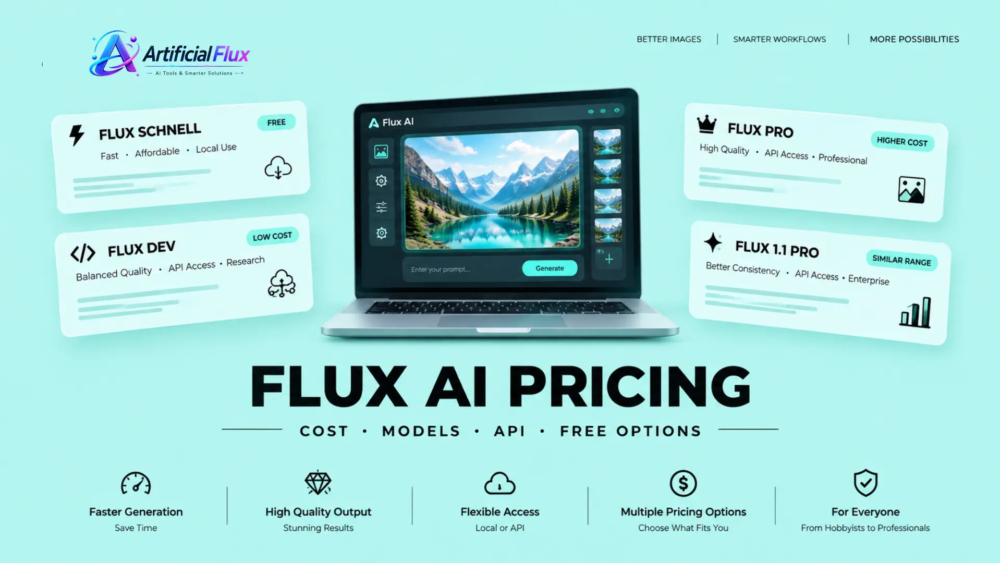
Flux AI pricing can be confusing because there is no single monthly plan for everyone. Your cost depends on the Flux model you choose, whether you generate images locally or through an API, and which platform you use. Flux Schnell lets users generate images locally without paying per image, while Flux Pro targets high-quality production workflows through API access.
If you are new to AI image generation, learning how these tools work can help you choose the right model for your needs. Artificial Flux explores AI image generators, AI tools, and the latest developments in artificial intelligence to help readers make informed choices.
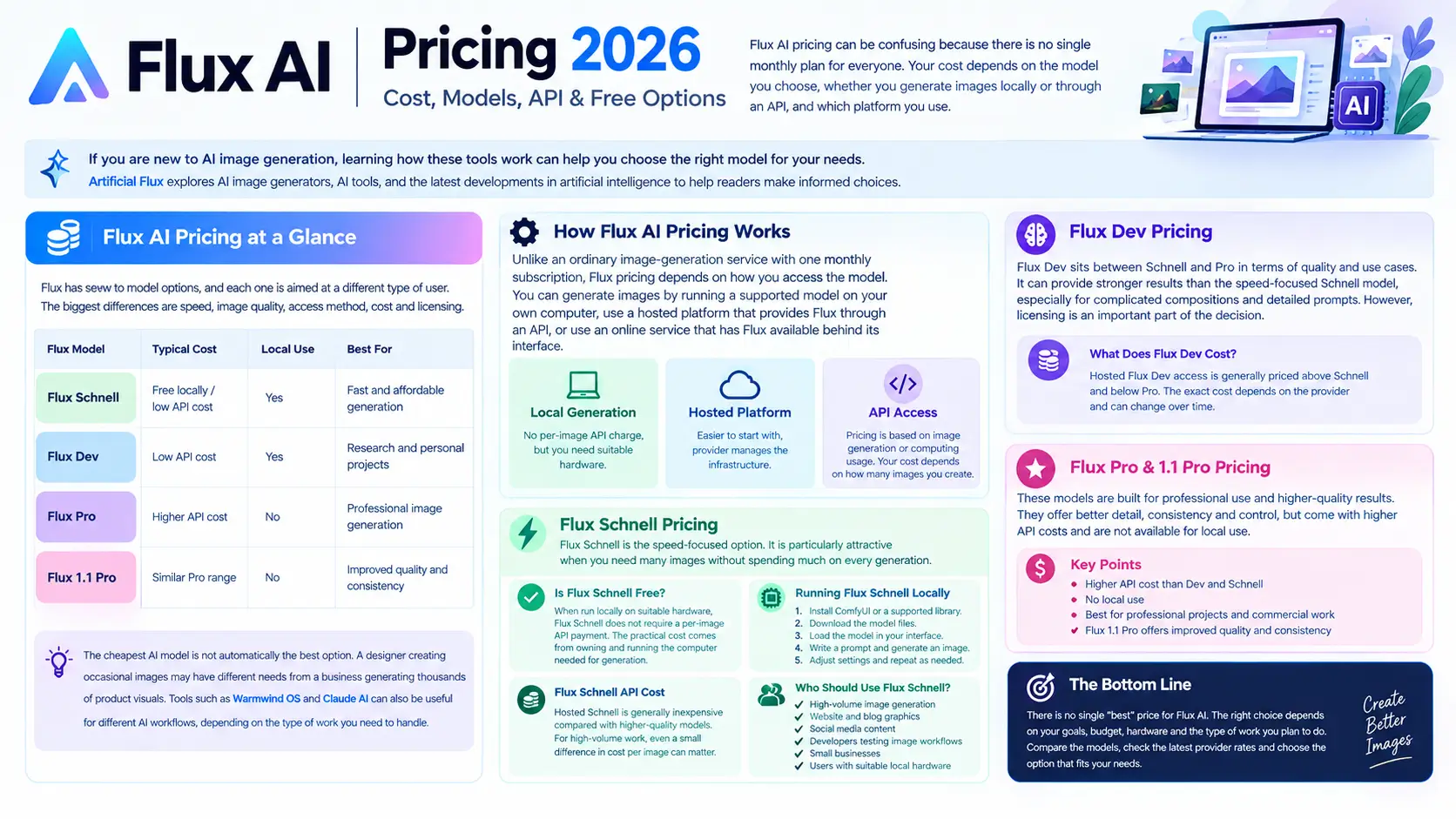
Flux AI Pricing at a Glance
Flux offers several AI image generation models, with each model designed for different user needs and creative workflows. The biggest differences are speed, image quality, access method, cost, and licensing.
| Flux Model | Typical Cost | Local Use | Best For |
| Flux Schnell | Free locally / low API cost | Yes | Fast and affordable generation |
| Flux Dev | Low API cost | Yes | Research and personal projects |
| Flux Pro | Higher API cost | No | Professional image generation |
| Flux 1.1 Pro | Similar Pro range | No | Improved quality and consistency |
The important point is that the cheapest AI model is not automatically the best option. A designer creating occasional images may have different needs from a business generating thousands of product visuals. Tools such as Warmwind OS and Claude AI can also be useful for different AI workflows, depending on the type of work you need to handle.
How Flux AI Pricing Works
Unlike an ordinary image-generation service with one monthly subscription, Flux pricing depends on how you access the model.
You can generate images by running a supported model on your own computer, use a hosted platform that provides Flux through an API, or use an online service that has Flux available behind its interface.
Local generation can remove the per-image API charge, but you still need suitable hardware. Hosted generation is easier to start with because the provider manages the computing infrastructure for you.
For developers and businesses, API pricing typically depends on image generation volume or computing usage. This makes your monthly cost closely connected to how many images you create.
Flux Schnell Pricing
Flux Schnell is the speed-focused option in the Flux family. It is particularly attractive when you need many images without spending much on every generation.
Is Flux Schnell Free?
When run locally on suitable hardware, Flux Schnell does not require a per-image API payment. The practical cost comes from owning and running the computer needed for generation.
You can also access the model through hosted services, with pricing based on each provider’s rates.
This makes Schnell useful for people who want to experiment with Flux, create website graphics, produce social media visuals, or build an image-generation workflow without paying a large monthly subscription.
Running Flux Schnell Locally
Local generation requires a capable GPU and enough memory to handle the model efficiently. A suitable NVIDIA graphics card can make the experience much smoother.
A typical local workflow involves:
- Installing a compatible interface such as ComfyUI or a supported diffusion library.
- Downloading the required model files.
- Loading the model into your chosen interface.
- Writing a prompt and generating an image.
- Adjusting settings and repeating the process as needed.
The advantage is that you are not paying an API fee every time an image is generated.
Flux Schnell API Cost
Hosted Schnell is generally inexpensive compared with higher-quality Flux models. The exact price depends on the provider and can change over time.
For high-volume work, even a small difference in the cost per image can become important. For example, generating 10,000 images at $0.005 each would cost about $50, before considering any other service charges.
Who Should Use Flux Schnell?
Schnell is a good fit for:
- High-volume image generation
- Website and blog graphics
- Social media content
- Developers testing image workflows
- Small businesses
- Users with suitable local hardware
Flux Dev Pricing
Flux Dev sits between Schnell and Pro in terms of its intended quality and use cases.
It can provide stronger results than the speed-focused Schnell model, particularly for complicated compositions and detailed prompts. However, licensing is an important part of the decision.
What Does Flux Dev Cost?
Hosted Flux Dev access is generally priced above Schnell and below Pro, although the actual amount depends on the platform.
Some services may also provide promotional credits that allow new users to test the model before paying.
Flux Dev License Explained
The biggest mistake is assuming that “Dev” simply means a cheaper version for software developers.
Its licensing is more restrictive for commercial work. Personal experimentation, research, and non-commercial projects are different from generating assets for a business or client.
If your images will be used in a commercial product, paid service, client project, or business campaign, you should check the current license carefully before building your workflow around Flux Dev.
When Does Flux Dev Make Sense?
Flux Dev can make sense for users who want to:
- Experiment with image generation
- Test model capabilities
- Work on personal projects
- Conduct research
- Compare different Flux models
For commercial production, the licensing terms should be checked before use.
Flux Pro Pricing
Flux Pro is aimed at users who need stronger image quality and a production-oriented workflow.
It is particularly useful for professional graphics, marketing assets, product imagery, and applications where image quality matters more than getting the lowest possible generation cost.
How Much Does Flux Pro Cost?
Flux Pro is normally accessed through an API rather than local model weights. Prices vary between providers, but the model generally costs more per generation than Schnell.
A small price difference can be reasonable when the resulting image requires fewer failed generations or less manual editing.
What Makes Flux Pro Different?
Flux Pro is designed for more demanding image-generation tasks. It can be useful when a prompt contains several visual elements that need to work together.
It is also a stronger choice for professional images where composition, detail, realism, and prompt adherence matter.
Common use cases include:
- Product images
- Marketing campaigns
- Website graphics
- Professional illustrations
- Advertising concepts
- AI-powered creative applications
Can Flux Pro Run Locally?
Unlike models intended for local deployment, Flux Pro is accessed through supported online infrastructure. This means users generally do not need to purchase a powerful GPU just to generate Pro images.
The tradeoff is that each generation has an associated service cost.
Flux 1.1 Pro Pricing
Flux 1.1 Pro is an improved version of the original Pro model. It follows the same general API-based approach but focuses on better image quality and consistency.
The differences may include improved details, stronger prompt interpretation, and more consistent results across generations.
For someone starting a new professional workflow, the newer model can be worth considering. Existing users do not necessarily need to switch immediately if the original Pro model already meets their requirements.
Flux AI API Pricing by Platform
Flux can be accessed through several hosted platforms. The best model depends on price, API documentation, speed, reliability, and the rest of your development workflow.
FAL.AI
FAL.ai provides hosted access to image-generation models with an API-focused workflow.
It can be useful for developers who want fast inference without maintaining their own GPU infrastructure.
The main advantage is convenience: you send a request through the API and the platform handles the underlying computing.
Replicate
Replicate provides access to a broad selection of AImodels and is popular with developers experimenting with different image-generation systems.Its pricing structure can depend on compute usage rather than simply being a fixed monthly subscription.This can be useful if you want to test Flux alongside other models without building separate infrastructure for each one.
Together AI
Together AI provides API access to multiple AI models, making it a useful option for comparing hosted Flux models and AI image generation tools.It may appeal to developers who want to keep different AI services within one API-focused environment.
Fireworks AI
Fireworks AI focuses heavily on fast model inference.
For applications where response speed matters, such as interactive creative tools, latency can be just as important as the price per image.
Black Forest Labs API
Black Forest Labs is the company behind the Flux model family and also provides direct API access.
Using the original model provider can be attractive for teams that prefer a direct relationship with the model creator instead of adding another hosted platform between their application and Flux.
Is Flux AI Free?
Flux AI can be free, but not every Flux model or access method is free.
Running a suitable model locally can avoid per-image API charges. Some hosted services may also offer introductory credits or limited free access.
However, “free” can have different meanings. Local generation requires hardware, while hosted services may impose limits, credits, queues, or usage charges.
For someone who only wants to generate a few images, a free hosted option may be easier. For someone generating images every day, local generation or a low-cost API may become more attractive.
How to Use Flux AI for Free
If you want to test Flux without immediately paying for API usage, a simple approach is to start with a free hosted demo or a locally supported model.
- Choose a Flux model that permits your intended use.
- Select a free local or hosted option.
- Set up the required interface if running locally.
- Enter your image prompt.
- Generate a few test images.
- Check the usage limits and license before using the results commercially.
This gives you a chance to judge the image quality before committing to a paid workflow.
Flux AI Commercial Use and Licensing
Pricing is only one part of choosing a Flux model. The license can be just as important.
Imagine a designer using Flux to create a personal wallpaper. That is very different from a company generating hundreds of product images for a paid online store.
Before commercial use, check:
- Which Flux model you are using
- Whether the license permits commercial use
- Whether your specific application is covered
- Whether the hosting provider has additional terms
- Whether redistribution or model-related restrictions apply
For businesses, this check should happen before integrating a model into a production system.
How Much Does Flux Cost for 100, 1,000, or 10,000 Images?
Your total spending becomes easier to understand when you calculate it by volume.
For example, at a hypothetical API rate of $0.005 per image:
- 100 images = $0.50
- 1,000 images = $5
- 10,000 images = $50
At $0.05 per image, the same volumes would be:
- 100 images = $5
- 1,000 images = $50
- 10,000 images = $500
These examples show why model selection matters for large workflows. Always use the provider’s current rate when calculating a real production budget.
Flux AI vs Midjourney vs Stable Diffusion
The right image generator depends on what you value most.
| Feature | Flux | Midjourney | Stable Diffusion |
| Local generation | Some models | Generally no | Yes |
| API focus | Strong | More limited | Available through platforms |
| Free local option | Yes for suitable models | No | Yes |
| Customization | High | Easier for consumers | Very high |
| Best for | Developers & creators | Easy creative generation | Advanced local workflows |
| Pricing model | Model/provider dependent | Subscription | Hardware or hosted cost |
Flux is especially interesting when you want a combination of image quality, API access, and flexible deployment options.
Midjourney can be more convenient for users who simply want an easy creative interface, while Stable Diffusion remains attractive to technically experienced users who want extensive local control.
Which Flux Model Should You Choose?
The easiest way to decide is to start with your actual goal.
Choose Flux Schnell if fast image generation and lower costs are your priorities. For personal projects, research, and non-commercial AI image generation, Flux Dev can be a good choice when its license fits your needs. If you need high-quality images for professional, production, or commercial API workflows, Flux Pro is the better option.
Consider Flux 1.1 Pro if you want the newer Pro-generation experience and its improvements are valuable to your workflow.
A Simple Real-World Example
Imagine a freelance designer who creates blog graphics for several clients.
At first, she generates a small number of images locally using a free model. This keeps her costs low while she is testing different prompts.
As the number of client projects grows, managing local generation becomes less convenient. She moves some work to a hosted API because paying a small amount per successful image is easier than maintaining a GPU workflow.
This is why the “cheapest” Flux option is not always the cheapest overall. Time, hardware, maintenance, image quality, and licensing all affect the real cost.
Common Flux AI Pricing Problems
Users can run into several issues when starting with Flux.
Unexpected API Charges
A low per-image price can still become expensive when thousands of generations are made. Set usage limits and monitor your API spending.
Free Credits Run Out
Free credits are useful for testing, but they are not necessarily a permanent free plan.
Different Prices on Different Platforms
The same Flux model may have different pricing depending on the hosting provider, infrastructure, and billing method.
Generation Failures
Failed requests, timeouts, or unsuitable settings can affect your workflow. Check the provider’s documentation and model availability when troubleshooting.
License Confusion
The model name alone does not tell you whether a commercial project is permitted. Always check the applicable license and service terms.
Frequently Asked Questions
Is Flux AI completely free?
No. Some Flux models can be run locally without per-image API charges, while hosted services may charge based on usage.
How much does Flux Pro cost per image?
The price varies by provider and model version. Hosted Pro access is generally more expensive than Schnell.
Is Flux Schnell free for commercial use?
Its licensing is more commercially flexible than Flux Dev, but you should always verify the current license terms for your exact use case.
Can I use Flux AI without an API?
Yes. You can run compatible Flux models locally with the right hardware and required software.
Can Flux AI run locally?
Yes, some Flux variants support local generation. The hardware requirements depend on the specific model and setup.
Final Verdict
Flux AI pricing is flexible, giving users multiple options instead of locking them into a standard subscription. Schnell is the most attractive option for low-cost and local generation, Dev can work well for non-commercial experimentation, and Pro is better suited to professional production workflows.