Perplexity vs ChatGPT

Is Perplexity Better Than ChatGPT?

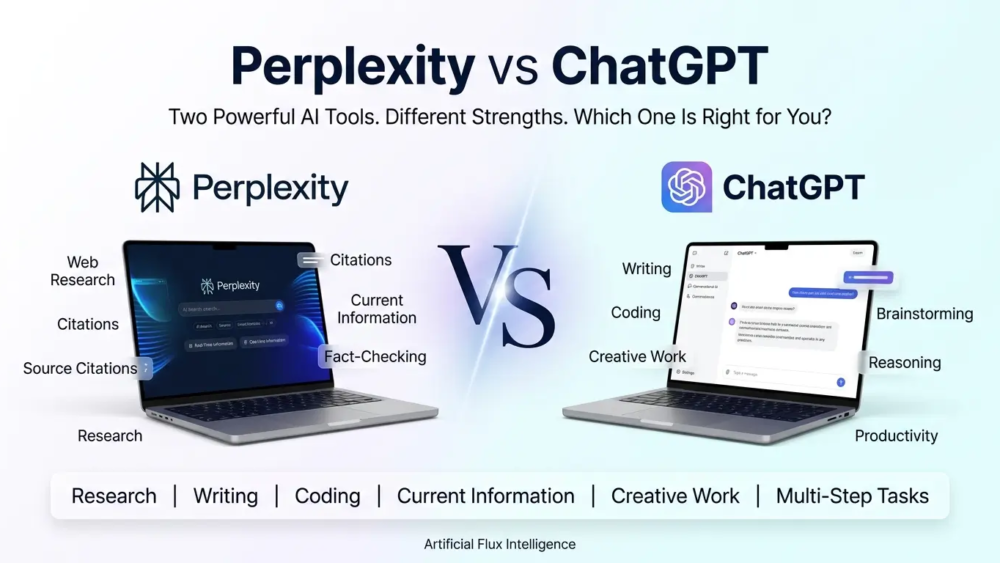
Perplexity and ChatGPT are both powerful AI tools, but they are built around different strengths. Perplexity is often more useful for current research and finding sources, while ChatGPT is stronger for writing, coding, creative work, and longer tasks. The better choice depends on what you need to get done, and Artificial Flux Intelligence can help you choose the right AI tools for your workflow.

If you are new to ChatGPT, our article on what is ChatGPT explains how the AI assistant works and what you can use it for. You can also explore our Gemini  article for a closer look at its search-focused approach.
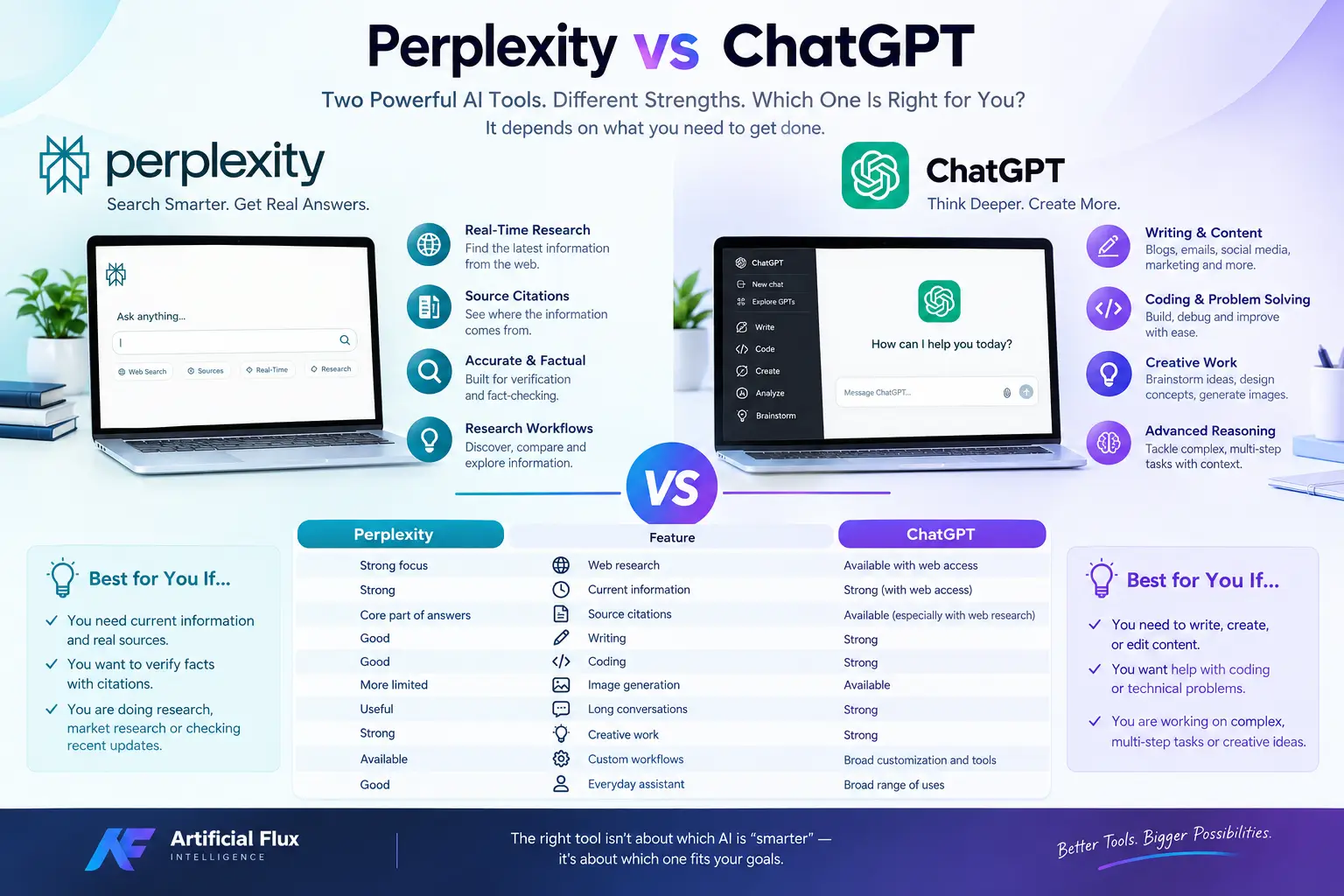
 Perplexity vs ChatGPT

Perplexity vs ChatGPT: What Is the Difference?

The biggest difference is how the two platforms approach information.

Perplexity is designed around AI-powered search. It searches online sources, combines information from those sources, and presents an answer with citations. This makes it useful when the information may have changed recently.

ChatGPT is designed as a broader AI assistant. It can answer questions, write content, analyze information, help with coding, work with files, brainstorm ideas, and support many other tasks. Depending on the version and settings being used, it can also access current web information.This means the comparison is not simply about which AI is “smarter.” It is more useful to ask which tool fits the job you are doing.

Perplexity vs ChatGPT at a Glance

FeaturePerplexityChatGPT
Web researchStrong focusAvailable with web access
Current informationStrongStrong when web access is used
Source citationsCore part of answersAvailable, especially with web research
WritingGoodStrong
CodingGoodStrong
Creative workMore limitedStrong
Image generationMore limitedAvailable
Long conversationsUsefulStrong
ResearchStrongStrong
Fact-checkingStrong workflowStrong with source verification
Custom workflowsAvailableBroad customization and tools
Everyday assistantGoodBroad range of uses

Features and availability can change over time, so individual plans may offer different capabilities.

Where Perplexity Performs Well

Real-Time Web Research

Perplexity’s biggest strength is its search-first experience.

Instead of relying only on information stored in an AI model, it can search the web for relevant information and build an answer from the sources it finds. This is especially useful for questions about recent products, companies, technology updates, prices, news, and other changing information.

For example, if you want to know what changed in an AI product this week, searching the web directly can be more useful than relying on older model knowledge.

Source Citations and Verification

Perplexity places strong emphasis on citations.

When an answer contains information gathered from online sources, you can usually follow the cited sources and check where the information came from. This creates a useful research workflow because you do not have to treat the AI’s answer as the final authority.

However, citations do not automatically make an answer correct. A source can be outdated, incomplete, or interpreted incorrectly. For important information, it is still worth opening the original source.

Current Information

Perplexity can be particularly useful when freshness matters.

Consider searches such as:

  • A company’s latest product announcement
  • A newly released AI model
  • Current software pricing
  • Recent technology news
  • A newly published research paper
  • A recent regulation or policy update

These are areas where access to current web sources can make a major difference.

Research-Heavy Workflows

Perplexity can also work well as the research stage of a larger project.

You might use it to find relevant sources, compare information, and identify important facts. You can then take those findings into another AI tool for writing, analysis, brainstorming, or presentation.

That makes Perplexity useful as a research and information-discovery layer, rather than necessarily being the only AI tool you use.

Where ChatGPT Performs Well

Writing and Content Creation

ChatGPT is useful when the goal is not simply to find information but to turn an idea into something usable.

It can help with blog posts, emails, website copy, social media content, outlines, product descriptions, editing, rewriting, brainstorming, and many other writing tasks.

It can also adapt content to different audiences and tones, which is useful for businesses and content creators.

Coding and Problem Solving

ChatGPT can act as a conversational coding assistant.

You can ask it to explain an error, review code, create a function, suggest changes, or work through a technical problem step by step.

The important difference is that coding often involves more than finding an answer. A development task may require understanding the goal, remembering earlier decisions, changing several parts of a project, and testing different approaches.That type of extended interaction is where a general AI assistant can be particularly useful.

Complex Reasoning and Multi-Step Tasks

Some questions require more than a single search.

For example, you may have a long document and want to extract important information, compare several ideas, organize the findings, and then turn them into a report.ChatGPT can support these multi-step workflows while maintaining the conversation context.

Creative Work

Creative tasks are another area where a general-purpose AI assistant can be useful.

You can use ChatGPT to brainstorm names, develop concepts, improve marketing messages, create story ideas, generate prompts, or work through different versions of an idea.For users who combine research with content creation, this can reduce the need to switch between several tools.

Perplexity vs ChatGPT for Research

For research, the difference becomes clearer.

Perplexity is useful when your first question is:

“What information is available, and where did it come from?”

ChatGPT becomes particularly useful when your question is:

“What can I do with this information?”

For example, imagine you are researching a new AI tool.

Perplexity can help you find the official announcement, documentation, recent reviews, pricing information, and other sources. ChatGPT can then help organize those findings into a comparison, explain technical concepts, or turn the information into an article.

Neither workflow has to exclude the other.

Perplexity vs ChatGPT for Writing

For writing, ChatGPT has a broader creative and editing workflow.You can start with a rough idea and gradually develop it into a finished article. You can ask for shorter paragraphs, simpler language, a professional tone, different headlines, or SEO-focused improvements.

Perplexity can also generate written responses, but its research-focused workflow makes it especially useful when the writing needs current information and supporting sources.For content publishers, the two tools can therefore serve different parts of the same process.

Perplexity vs ChatGPT for Coding

Both tools can help with programming, but the workflow can be different.Perplexity is useful when you need to research a programming problem, find documentation, investigate a library, or locate examples from current sources.

ChatGPT can be useful when you want to work through the implementation itself, discuss errors, modify code, and continue refining the solution through multiple messages.For developers, the choice may therefore depend on whether the immediate need is technical research or hands-on development assistance.

Perplexity vs ChatGPT for Current Information

Current information is one of the most important parts of this comparison.

AI models can have knowledge limitations, while websites and databases continue changing every day. A model without access to current information may not know about something that happened recently.

Web-connected AI tools can reduce this problem by searching current sources.Still, users should distinguish between having access to the web and getting a reliable answer from the web. Search results can contain outdated pages, conflicting reports, poor-quality websites, or incorrect information.

The safest workflow for important facts is to check the original source.

Perplexity vs ChatGPT for Students

Students can use either tool for learning, but the best use depends on the task.Perplexity can help locate articles, research papers, explanations, and supporting sources.

ChatGPT can help explain difficult concepts in simpler language, create practice questions, summarize material, and help students understand a topic step by step.For academic work, students should verify sources and follow their school’s rules about AI-assisted work.

Perplexity vs ChatGPT for Business

Businesses can use both platforms for different stages of work.

Perplexity can help with market research, competitor research, industry information, product research, and finding current sources.ChatGPT can help turn those findings into website copy, reports, emails, marketing ideas, customer-service responses, content plans, and other business materials.

A small business might therefore use one tool to research the market and another to turn the research into usable business content.

A Real-World Example

Imagine a web designer researching a new AI website-building tool.

First, they use Perplexity to find the company’s latest announcement, current features, pricing information, and independent coverage. They open the important sources rather than relying only on the generated summary.

Next, they use ChatGPT to organize the information into a simple feature comparison and create website content that explains the tool to beginners.

The important part is not choosing one tool for everything. Each tool is being used for the part of the workflow where it is most useful.

Where Perplexity Has Limitations

Perplexity’s search-first approach is also its defining limitation for some users.

If you mainly want to create content, brainstorm ideas, have a long conversation, or work through a complex project, a research-focused interface may not be the most natural workflow.

Another consideration is source quality. Search-based AI can only work with the information it finds. If sources disagree or an important source is missing, the final response may also be incomplete.And while citations make verification easier, users still need to check those citations.

Where ChatGPT Has Limitations

ChatGPT can also produce incorrect information.

Without current web access, an AI assistant may not know about recent events, newly released products, updated prices, or changes to online services.

Even when web research is available, generated answers can contain mistakes or misunderstand a source. Important legal, financial, medical, technical, or business information should therefore be checked against authoritative sources.

Another limitation is that a polished answer can sometimes sound more certain than the available evidence supports. Readers should pay attention to the sources behind important claims.

Can You Use Perplexity and ChatGPT Together?

Yes. In fact, combining them can create a practical workflow.

A simple process is:

  1. Use Perplexity to discover current information and relevant sources.
  2. Open important sources and verify the key facts.
  3. Give the verified information to ChatGPT when you need deeper analysis, writing, organization, or brainstorming.
  4. Review the final result and check important claims against the original sources.

This approach separates research from content creation and analysis, which can make larger projects easier to manage.

How to Choose Between Perplexity and ChatGPT

Think about what you are trying to accomplish.

If your main task is finding current information and following sources, Perplexity’s search-focused workflow can be useful.

If your main task is writing, coding, brainstorming, analyzing information, or completing a longer multi-step project, ChatGPT offers a broader assistant-style workflow.If you regularly do both, using the two together is another practical option.

Perplexity vs ChatGPT: Which One Is Better?

There is no single answer that applies to every user.

Perplexity is particularly useful for web research, source discovery, current information, and fact-checking workflows. ChatGPT is particularly useful for writing, coding, creative tasks, reasoning, and turning information into finished work.

The important difference is the job you are asking the AI to perform. Someone researching a breaking technology announcement may want a different workflow from someone writing a website, debugging code, or developing a marketing campaign.

As AI tools continue to add search, reasoning, coding, research, and creative features, the gap between their capabilities can also change. Checking the current features and plan limits is therefore important before choosing a tool for a specific workflow.

Frequently Asked Questions

Is Perplexity better than ChatGPT for research?

Perplexity is designed around web research and source discovery, while ChatGPT can combine research with analysis, writing, and other tasks.

Is Perplexity more accurate than ChatGPT?

Neither tool should be treated as automatically accurate. Perplexity’s citations can make sources easier to check, while ChatGPT can also provide useful answers with appropriate source verification.

Can Perplexity replace ChatGPT?

For some research-focused workflows, it may be enough. For writing, coding, creative work, and broader AI assistance, users may still prefer ChatGPT.

Is Perplexity better for current information?

Its search-first design makes it useful for finding current web information. The quality of the result still depends on the sources it finds and how those sources are interpreted.

Is ChatGPT better for coding?

ChatGPT can be useful for coding, debugging, explanations, and multi-step development tasks. Perplexity can also help with programming research and finding current technical sources.

Which is better for students?

Both can support learning. Perplexity is useful for finding sources, while ChatGPT can help explain concepts, practice questions, and organize study material.

Can I use Perplexity and ChatGPT together?

Yes. A common workflow is to use a search-focused tool for research and a general AI assistant for analysis, writing, or organization.

Does Perplexity always provide reliable sources?

No. Citations make verification easier, but a cited source can still be outdated, incomplete, or unreliable. Important claims should be checked against authoritative sources.

Which is better for writing, Perplexity or ChatGPT?

Both can generate text, but ChatGPT is designed for a broader writing and creative workflow, while Perplexity is especially useful when writing depends heavily on current web research.

Is Perplexity free to use?

Perplexity offers free access as well as paid plans, but available features and limits can change.

Is ChatGPT free to use?

ChatGPT has free access alongside paid plans with additional features and usage limits that can change over time.
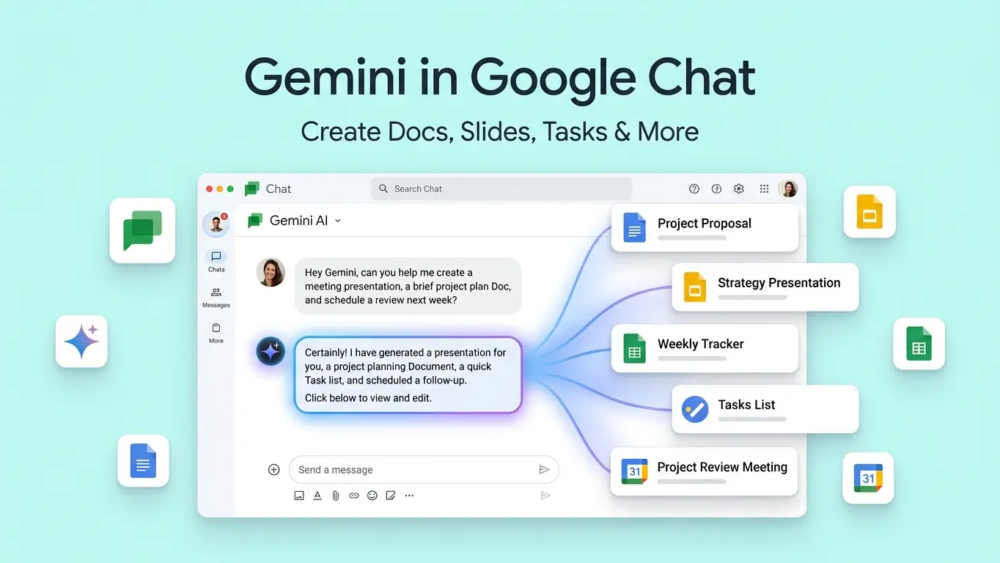
Gemini in Google Chat

Gemini in Google Chat: Create Docs, Slides, and More

Want to create a document, presentation, task, or meeting without leaving Google Chat? Gemini in Google Chat can now help you do many of these tasks from one place. It can also use information from your Google Workspace when your account has access to these features.

Google’s AI tools are becoming more useful for everyday work, while other AI platforms such as DeepSeek V4-Pro are also adding advanced features for developers and businesses. If you’re interested in using AI for customer communication, you can also explore our guide on chatbots for customer service.

Gemini in Google Chat

What Is Gemini in Google Chat?

Gemini is Google’s AI assistant. Gemini in Google Chat brings this assistant directly into Google Chat.

You can ask it questions in normal language. You can also ask it to help with work, find information, create files, and manage simple tasks.

For example, instead of copying a Chat conversation into Google Docs, you can ask Gemini to create a document from the information.This can save time for people who use Google Chat every day.

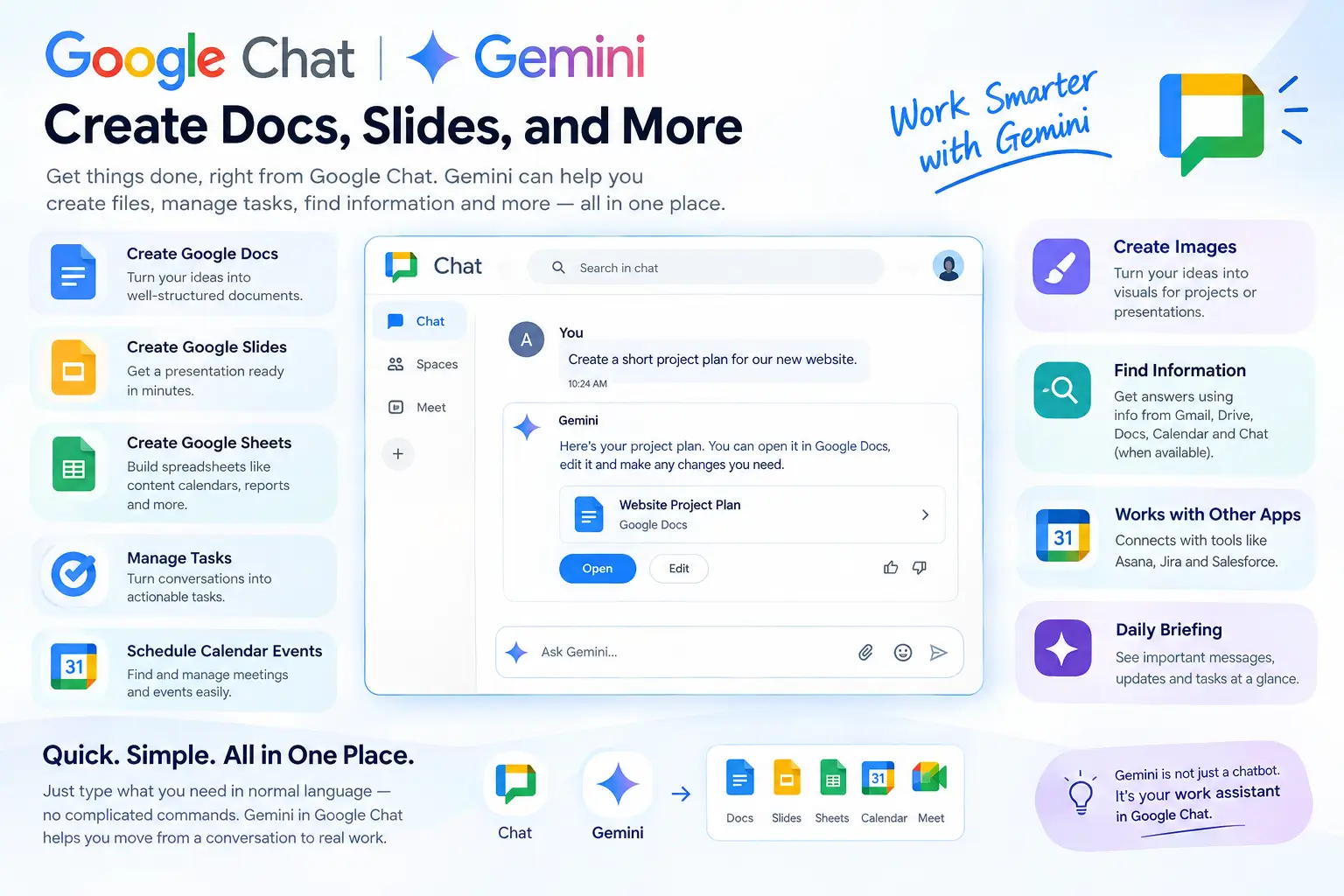
What Can Gemini Do in Google Chat?

Gemini can now do more than answer questions. It can help with several common work tasks.

Create Google Docs

You can ask Gemini to create a Google Docs file for you.

For example, you could type:

“Create a short project plan for our new website.”

Gemini can create the document based on your request. You can then open it in Google Docs, check the content, and make changes.

This is useful for project plans, meeting notes, reports, and other documents.

Create Google Slides

Need a presentation but do not want to start from a blank slide?

Gemini can help create a Google Slides presentation from a simple request.

You could ask:

“Create a presentation about our new product.”

It can create the main content and structure for the presentation. You should still check the slides and change anything that does not look right.

Create Google Sheets

Gemini can also help create spreadsheets.

For example, you can ask it to make a content calendar with columns for:

  • Topic
  • Keyword
  • Writer
  • Due date
  • Status

This can give you a starting point instead of building the whole sheet yourself.

Create and Manage Tasks

Important tasks can easily get lost in a busy Chat conversation.

Gemini can help turn work into Google Tasks. You can use it to create, update, or complete tasks when the feature is available for your account.

For example, after a team discussion, you could ask Gemini to create a task for a team member.

Schedule Calendar Events

Gemini can also work with Google Calendar.

You can ask it to help find or manage meetings and events. This can be useful when a meeting has already been discussed in a Chat conversation.Instead of opening several apps, you can start the process from Chat.

Get a Daily Briefing

Busy teams can have many unread messages and tasks.

Gemini can help summarize important conversations and show things that may need your attention.This can be useful when you start work after being away for a few hours or a day.

Find Information

One of the useful parts of Google’s Workspace AI is its ability to work with information from different Workspace apps.

Depending on your account settings, Gemini may use information from Gmail, Drive, Docs, Calendar, and Chat.This means you may not need to search each app separately.

Create Images

Gemini can also create images from text requests.

For example, you could ask for an image idea for a presentation or a simple visual for a project.The available image features can depend on your Google account and Workspace plan.

How to Use Gemini in Google Chat

Using Gemini in Chat is simple when the feature is available on your account.

  1. Open Google Chat or Chat inside Gmail.
  2. Find Ask Gemini.
  3. Type what you want in simple words.
  4. Read Gemini’s response.
  5. Check the result and make changes if needed.

You do not need to write complicated commands. You can explain what you need in normal language.

For example:

“Create a short project plan for my website redesign.”

Gemini can then help you with the next step.

What Is Workspace Intelligence?

You may also see the term Workspace Intelligence when reading about these features.It is Google’s way of connecting Gemini with information across Workspace apps.

For example, information about one project may be in Gmail, Google Drive, Calendar, and Chat.

Workspace Intelligence helps Gemini work with this information when your account and admin settings allow it.This can make Gemini more useful because it has more context about your work.

Can Gemini Work With Other Apps?

Yes. Google is also adding connections with some third-party business tools.

Examples include Asana, Jira, and Salesforce.

This can help companies that use Google Workspace together with other work platforms.

For example, a team may talk about a project in Google Chat but manage development tasks in Jira. Connected tools can make it easier to work between these services.

Who Can Use Gemini in Google Chat?

Gemini in Chat can be useful for many types of users.

Remote Teams

Remote teams often have many Chat messages throughout the day.Gemini can help summarize information and highlight tasks that need attention.

Project Managers

Project managers can use Gemini to create project documents, tasks, meeting plans, and presentations.

Marketing Teams

Marketing teams can use it to create campaign plans, content ideas, reports, and presentations.

Small Businesses

Small businesses often have limited time and staff.Using Gemini for simple tasks can help reduce some manual work.

Web Designers

Web designers can also use Gemini for project briefs, meeting notes, task lists, and client presentation ideas.For example, Artificial Flux could use this type of workflow when planning a website project, creating a project brief, or organizing tasks for a client website.

A Simple Example

Imagine a small team is working on a new website.The team talks about the project in Google Chat. They discuss the design, deadline, pages, and tasks that need to be completed.

Instead of copying all this information into different apps, the project manager can ask Gemini to help create a project brief and organize the tasks.The team still needs to check the results, but Gemini can make the first step much easier.

Which Google Workspace Plans Support It?

Gemini features are not available in exactly the same way for every Google account.Google provides Gemini features for several Workspace plans, including some Business, Enterprise, Education, Frontline, and Nonprofit plans.

AI add-ons can also provide access to additional features.

Your company administrator can control which Gemini and Workspace Intelligence features are available.So, if you do not see Ask Gemini in Google Chat, your account plan or admin settings may be the reason.

What Gemini in Google Chat Cannot Do

Gemini can save time, but it is not perfect.

It Can Make Mistakes

AI can sometimes give wrong information or misunderstand your request.Always check important documents, numbers, dates, and other details before using them.

Your Admin Can Control It

Your company administrator can control what information Gemini can access.For example, access to Gmail, Drive, Calendar, or Chat information may be limited.

Some Features May Not Be Available

Different accounts can have different Gemini features.Your plan, location, language, and company settings can affect what you see.

You Still Need to Review the Work

Gemini can create a first draft, but you should not blindly use it.Read the document, check the facts, and make changes before sending important work to a client or team.

Gemini in Google Chat vs. Regular Gemini

Regular Gemini is useful for general questions, ideas, writing, and other AI tasks.

Gemini inside Google Chat is more focused on your work.

It can work with your Workspace information and help you move from a conversation to an actual task or file.

For example:

Regular Gemini:
“Give me ideas for a website project.”

Gemini in Chat:
“Create a project brief from our website discussion.”

The second request is more connected to your work.

Does Gemini Save Time?

It can, especially for small tasks.

Without Gemini, you may need to:

Read Chat → copy information → open Docs → create document → open Calendar → create meeting → create tasks

With Gemini, some of these steps can happen from the same place.

But the time you save depends on how good the result is. If you need to rewrite everything Gemini creates, the benefit will be smaller.That is why it is better to think of Gemini as a work assistant, not a replacement for people.

Is Gemini in Google Chat Safe for Business Work?

Google provides controls for Workspace administrators and organizations.Companies can decide which Workspace data sources are available to Gemini.

However, businesses should still follow their own privacy and security rules when using AI tools.Do not assume that every AI-generated result is correct or suitable for sharing.

Frequently Asked Questions

Can Gemini create a Google Doc in Chat?

Yes. Gemini can help create a Google Docs file from a natural-language request when the feature is available.

Can Gemini create Google Slides?

Yes. Gemini can create presentations based on your request and available Workspace information.

Can Gemini create Google Sheets?

Yes. Google now lists spreadsheet creation among the capabilities available through Ask Gemini in Chat.

Can Gemini schedule a meeting?

Gemini can help with Google Calendar events when the required feature and account permissions are available.

Why can’t I see Ask Gemini in Google Chat?

Your Google Workspace plan, administrator settings, language, or feature availability may be the reason.

Is Gemini in Google Chat free?

It is mainly available through eligible Google Workspace plans and AI access. It is not available in the same way to every Google Chat user.

Can Gemini use my Gmail and Google Drive?

It can use relevant Workspace information when the required services are enabled for your account and organization.

Can Gemini create tasks?

Yes. Gemini can help create and manage Google Tasks when the feature is available.

Can I use Gemini in Google Chat on mobile?

Google provides Ask Gemini on supported mobile experiences, but some features may differ between devices and accounts.

Final Thoughts

Gemini in Google Chat is becoming more than a simple AI chatbot. It can help create Docs, Slides, and Sheets, manage tasks, work with Calendar, summarize information, and support research.The main benefit is simple: you can do more work without constantly moving between different apps.

Still, Gemini should be treated as an assistant. Check its work, correct mistakes, and review important information before you share it.For teams that already use Google Workspace every day, these features can make common work tasks easier and more organized.

Mistral Medium 3.5

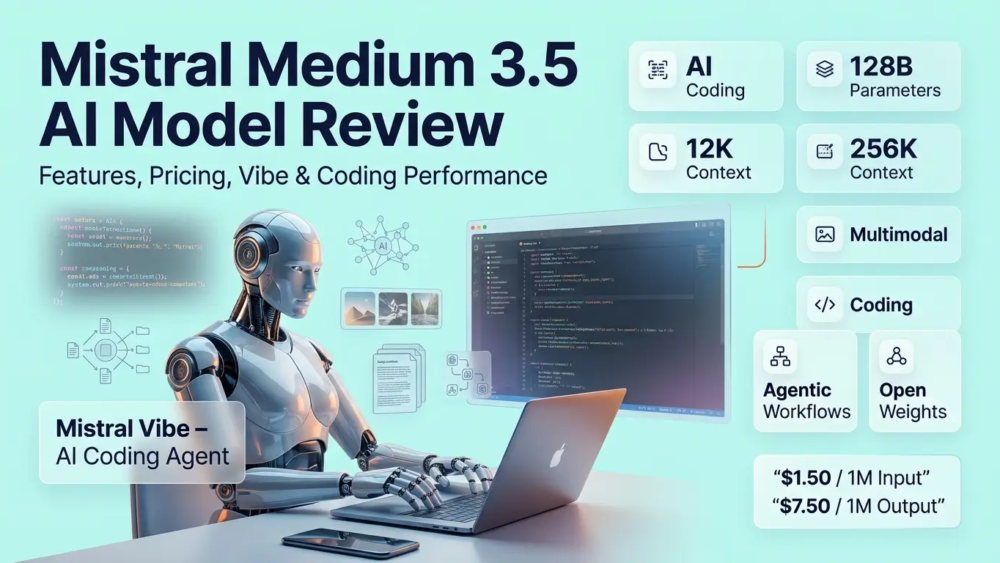
Mistral Medium 3.5 Review: Features, Pricing, Vibe & Coding Performance

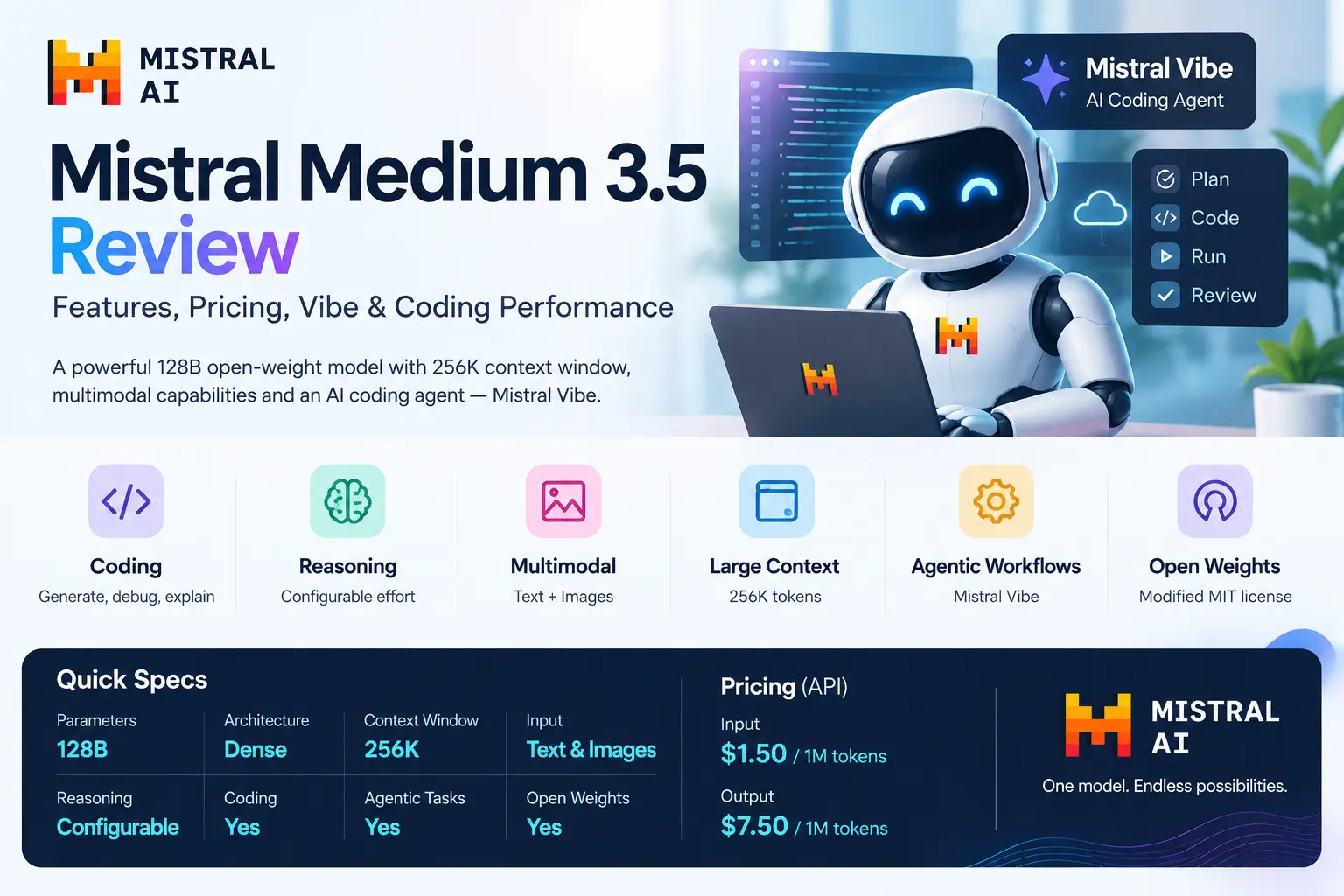
If you need an AI model for coding, reasoning, images, long documents, and development tasks, Mistral Medium 3.5 is designed for these use cases. It is a 128B open-weight model with a 256K context window and configurable reasoning.

One of its main features is Mistral Vibe, an AI coding agent that can work on software projects through remote cloud environments. This helps teams like Artificial Flux assign coding tasks and review AI-generated changes later.

If you are exploring other AI tools, you can also read our article about what Claude AI is and our guide to AI chatbots for customer service.

Mistral Medium 3.5

What Is Mistral Medium 3.5?

Mistral Medium 3.5 is a 128-billion-parameter dense multimodal model from Mistral AI. It combines instruction following, reasoning, coding, tool use, and visual understanding in one model.

Mistral released the model as open weights under a Modified MIT license. It is designed for agentic workflows, software development, long-running tasks, and applications that need a large context window.

Mistral Medium 3.5 at a Glance

The model offers a large 256K context window, image understanding, configurable reasoning, and coding capabilities. It is built for both normal AI tasks and more advanced agentic workflows.

Its open-weight design also gives developers the option to explore self-hosting instead of using only a hosted API.

Feature Details
Parameters 128B
Architecture Dense
Context window 256K
Input Text and images
Reasoning Configurable
Coding Yes
Agentic tasks Yes
Open weights Yes
License Modified MIT
API input price $1.50 / 1M tokens
API output price $7.50 / 1M tokens

What Makes Mistral Medium 3.5 Different?

Mistral Medium 3.5 brings several capabilities together in one model instead of requiring separate models for coding, reasoning, and multimodal tasks. This makes it suitable for applications that need more than simple text generation.

Its combination of a large context window, open weights, coding support, and agentic tools also makes it interesting for developers building AI-powered software workflows.

One Model for Coding and General Tasks

Medium 3.5 can help with code generation, debugging, explanations, reasoning, and general questions. Developers can also connect it with tools to create more advanced workflows.

This approach can reduce the need to switch between different AI models for different development tasks.

256K Context Window

Mistral Medium 3.5 supports a 256K-token context window, giving applications plenty of space for long documents, codebases, instructions, and previous conversation history.

For developers, this can be useful when working with large projects where the AI needs to understand information from multiple files at the same time.

Configurable Reasoning

The model supports configurable reasoning, allowing developers to control how much reasoning effort is used for a task.

Simple requests can use less processing, while complicated coding or reasoning problems can receive more attention from the model.

Multimodal Understanding

Medium 3.5 can work with both text and images, making it useful for tasks involving screenshots, diagrams, interfaces, and other visual information.

For example, a developer could provide a website screenshot and ask the model to explain the interface or suggest changes to the design.

Mistral Vibe: The AI Coding Agent

Mistral Vibe is one of the most notable parts of the Medium 3.5 ecosystem. It is designed to help developers complete software tasks with an AI coding agent.

Instead of asking AI for one code snippet at a time, developers can give Vibe a larger task and allow it to inspect files, modify code, run commands, and work through multiple steps.

What Can Vibe Do?

Vibe can help with tasks such as fixing bugs, creating tests, refactoring code, updating dependencies, and implementing features.

It can also work with development tools and services such as GitHub, Linear, Jira, Sentry, Slack, and Microsoft Teams.

How Remote Coding Works

Vibe can run coding work in a remote cloud environment instead of requiring everything to happen on the developer’s computer.

A developer can give the agent a task, let it work through the project, and then review the resulting changes or pull request.

GitHub and Pull Requests

When GitHub access is configured, Vibe can work with repositories and create branches or draft pull requests.

Developers can then review the generated code before deciding whether the changes should be merged.

How to Use Mistral Vibe

Using Vibe generally starts with connecting the required development environment and giving the agent a clear task.

A simple workflow looks like this:

  1. Connect your development project or repository.
  2. Describe the coding task clearly.
  3. Let Vibe inspect and modify the project.
  4. Review the changes and test results.
  5. Review the branch or pull request before merging.

The developer still controls the final decision and should review important code changes before they reach production.

Teleport: Continue Coding in the Cloud

Vibe also includes a Teleport feature that can move a local coding session into a remote environment.

This can be useful when a task becomes longer than expected and you want the AI agent to continue working while you are away from your computer.The remote session can continue processing the task and later return changes for review.

Mistral Medium 3.5 Performance

Mistral reports a 77.6% score on SWE-Bench Verified, a benchmark focused on real-world software engineering tasks.

The company also reports a 91.4 score on τ³-Telecom, which measures performance on tool-based and agentic tasks.

Benchmark results can provide useful information, but they do not guarantee the same performance on every real-world project.Your programming language, repository quality, tests, tools, prompts, and task complexity can all affect the final result.

Running Mistral Medium 3.5 Locally

Because Medium 3.5 is available as open weights, organizations can explore running it on their own infrastructure.

Mistral says the model can be self-hosted using as few as four GPUs, although the actual hardware requirements depend on factors such as precision, context size, and workload.

GPU Requirements

A 128B model requires substantial computing resources, especially when running long contexts or serving multiple users.

Teams should consider GPU memory, inference speed, concurrency, electricity, and server costs before choosing local deployment.

Quantized Versions

Quantization can reduce the memory required to run a large model by using lower-precision weights.

This can make local deployment more practical, but developers should test the model carefully because speed, quality, and memory requirements can change with different quantization methods.

vLLM and SGLang

Developers can use inference frameworks such as vLLM and SGLang to help serve large language models.

The best setup depends on the project’s hardware, number of users, context requirements, and expected response speed.

Mistral Medium 3.5 Pricing

Mistral lists Medium 3.5 API pricing at $1.50 per million input tokens and $7.50 per million output tokens.

Cached input tokens are priced lower, which can help applications that repeatedly send similar information to the model.

Is Mistral Medium 3.5 Expensive?

The actual cost depends on how much your application uses the model and how many output tokens it generates.

Developers should calculate both input and output usage because long AI-generated responses can increase the final API bill.

Mistral Vibe Pricing

Mistral offers different plans for Vibe, including Free, Pro, Team, and Enterprise options.

The available usage limits and features can vary between plans, so developers should check the current pricing before choosing a subscription.

Mistral Medium 3.5 License

Medium 3.5 is an open-weight model released under a Modified MIT license.

This provides flexibility for many developers, but businesses should read the current license carefully before using the model commercially.

Mistral states that companies generating more than $20 million in monthly revenue need a commercial license or must use the model through Mistral Studio.This requirement is especially important for large organizations planning a commercial deployment.

Mistral Medium 3.5 vs Claude Sonnet

Claude Sonnet is a proprietary AI model family accessed through Anthropic’s services, while Medium 3.5 provides open weights that can be considered for self-hosting.

Both models target coding, reasoning, and general AI workloads, but their deployment options and pricing structures are different.For developers, the comparison should include coding performance, context requirements, API pricing, privacy, infrastructure, and deployment flexibility.

Mistral Medium 3.5 vs GPT-4o

GPT-4o is a multimodal model designed for text, image, and general AI tasks through hosted services.

Medium 3.5 offers a different approach because developers can access its open weights and consider running the model on their own infrastructure.The right option depends on whether a project needs self-hosting, API simplicity, multimodal capabilities, or specific performance characteristics.

Mistral Medium 3.5 vs Qwen

Qwen includes open-weight models in several sizes, giving developers different choices depending on their hardware and workload.

Medium 3.5 is a 128B dense model with a 256K context window and multimodal capabilities.Smaller Qwen models may be easier to run on limited hardware, while Medium 3.5 targets more demanding workloads.

Mistral Medium 3.5 vs Kimi K2.6

Kimi K2.6 and Medium 3.5 use different model architectures and have different approaches to AI agents.

Medium 3.5 is a 128B dense model, while Kimi uses a mixture-of-experts approach.Both can be considered for coding and agentic workflows, but developers should compare the exact model versions, pricing, hardware requirements, and benchmarks before choosing one.

Mistral Medium 3.5 vs Competitors

Feature Medium 3.5 Claude Sonnet GPT-4o Qwen Kimi K2.6
Open weights Yes No No Model-dependent Yes
Self-hosting Yes No No Model-dependent Yes
Multimodal Yes Yes Yes Model-dependent Yes
Large context Yes Yes Yes Model-dependent Yes
Coding Yes Yes Yes Yes Yes
Agentic workflows Yes Yes Yes Yes Yes
Remote coding agent Vibe Varies Varies Varies Agent-focused

These AI models change quickly, so exact pricing, context limits, and features should always be checked for the specific model version being used.

Real-World Example

Imagine a developer has a GitHub project with several bugs and unfinished features.

Instead of manually handling every small task, the developer can give a clear issue to Vibe and allow the coding agent to inspect the repository, modify files, and run tests.

The developer can then review the resulting changes and pull request before merging anything into the main project.This does not remove the need for human review.It simply moves some repetitive development work from the developer to the AI agent.

Who Can Use Mistral Medium 3.5?

Software Developers

Developers can use Medium 3.5 for coding, debugging, code explanations, testing, and development workflows.

AI Product Teams

AI teams can use its long context, multimodal capabilities, tool use, and structured outputs when building AI applications.

Self-Hosting Teams

Organizations with suitable GPU infrastructure can explore local deployment instead of relying entirely on a hosted API.

Coding-Agent Users

Developers who want AI to handle longer software tasks can explore Mistral Vibe and its remote coding capabilities.

API Developers

Developers can connect Medium 3.5 to applications through Mistral’s API and pay according to token usage.

What Are the Limitations?

One major limitation is hardware. Running a 128B model locally requires significant GPU memory and infrastructure, especially for long contexts and multiple users.Another consideration is cost. API output tokens are priced higher than input tokens, while larger organizations also need to pay attention to the model’s licensing conditions.

Benchmark results should also be treated carefully because performance can vary between different programming projects.A model that performs well on a benchmark may still require testing on your own codebase and development workflow.

Is Mistral Medium 3.5 Good for Coding?

Mistral Medium 3.5 is specifically designed to support coding and agentic software-development workflows.Its combination of coding capabilities, long context, tool use, and Vibe makes it suitable for developers who want AI assistance beyond simple code generation.

The actual results will depend on the project, programming language, repository structure, tools, and instructions given to the model.For important production code, developers should always review and test AI-generated changes before deployment.

Frequently Asked Questions

What is Mistral Medium 3.5?

Mistral Medium 3.5 is a 128B multimodal AI model designed for coding, reasoning, tool use, and agentic tasks.

How many parameters does Mistral Medium 3.5 have?

Mistral Medium 3.5 has 128 billion parameters.

What is the context window of Mistral Medium 3.5?

It supports a 256K-token context window.

Is Mistral Medium 3.5 open source?

It is an open-weight model released under a Modified MIT license.

Can Mistral Medium 3.5 run locally?

Yes, Mistral provides the model as open weights for self-hosting.

What is Mistral Vibe?

Mistral Vibe is an AI coding agent designed to help developers complete software-development tasks.

Can Mistral Vibe create pull requests?

Yes, Vibe can work with GitHub and create branches or draft pull requests when configured correctly.

How much does Mistral Medium 3.5 cost?

The listed API price is $1.50 per million input tokens and $7.50 per million output tokens.

Does Mistral Medium 3.5 support images?

Yes, Medium 3.5 supports multimodal input including images.

Is Mistral Medium 3.5 good for coding?

Coding and agentic software development are important use cases for Medium 3.5.

Can businesses use Mistral Medium 3.5?

Yes, but businesses should review the current Modified MIT license and commercial requirements.

Final Thoughts

Mistral Medium 3.5 combines coding, reasoning, multimodal understanding, tool use, and long-context processing in a single 128B model.

Its connection with Mistral Vibe also adds a practical coding-agent workflow where development tasks can continue in remote environments.The open-weight approach gives organizations more deployment flexibility, although running a model of this size requires suitable hardware.

Suno Studio 2.0

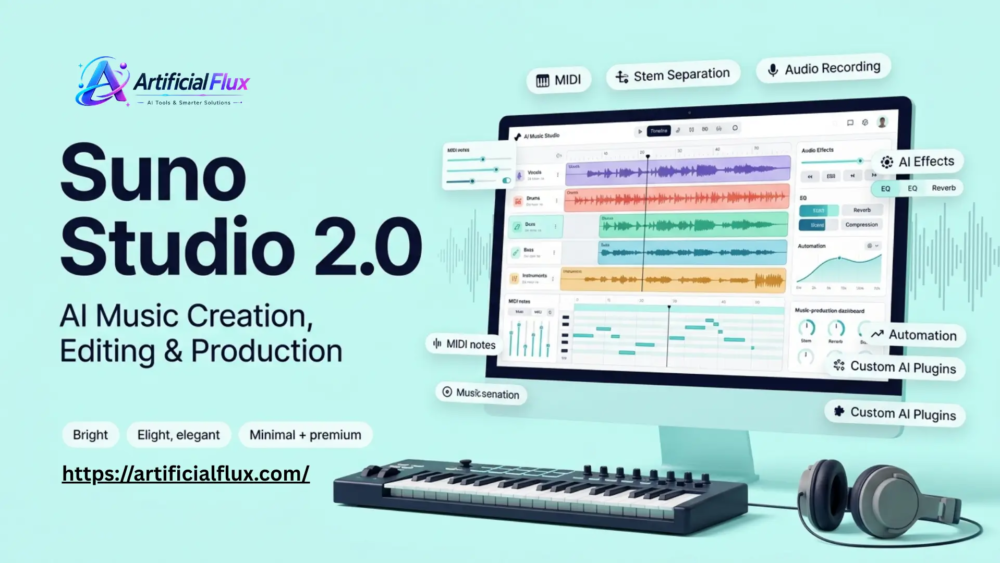
Suno Studio 2.0: MIDI, Stem Separation, Features & 2026 Updates

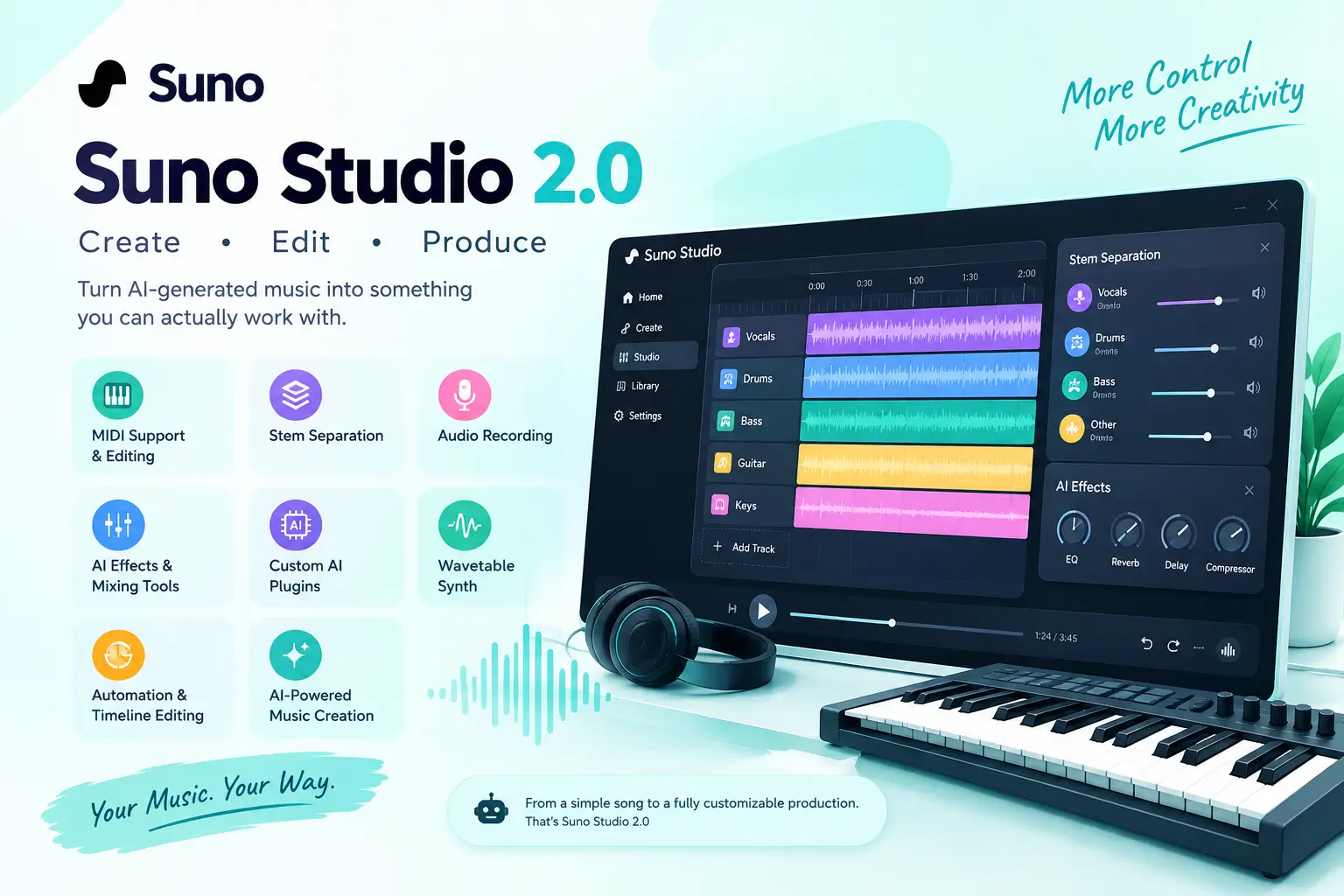
Suno Studio 2.0 turns AI-generated music into something you can actually work with. It adds MIDI, stem separation, audio recording, effects, automation, and other production tools, giving creators more control over what happens after a song is generated.

For readers new to AI music, what is Windsurf AI and what is Google I/O can also provide useful context about how generative AI tools are changing creative workflows.

Suno Studio 2.0

What Is Suno Studio 2.0?

Suno Studio 2.0 is a music creation and editing workspace built into Suno. Instead of stopping after generating a complete song, users can work with the individual parts of a track and make changes to the arrangement and sound.

The major change is the move from simple AI music generation toward a more flexible production workflow.

A generated song can now become a starting point for further editing. Creators can work with audio, MIDI, stems, effects, recordings, and other production controls inside the Studio environment.

Who Is Suno Studio 2.0 For?

Suno Studio can be useful for different types of creators.

Songwriters can use AI to develop musical ideas, while producers can work with generated material and modify individual parts. Content creators can also use it to develop background music for videos, podcasts, social media, and other projects.

It can also appeal to beginners who want to experiment with music production without starting with a complicated traditional DAW.

What’s New in Suno Studio 2.0?

Suno Studio 2.0 introduced several features that address some of the limitations of earlier AI music workflows.

The important part is not just the number of features. It is how these tools work together to give creators more control over generated music.

MIDI Support and Editing

MIDI is one of the most important additions to Suno Studio.MIDI stores musical information such as notes, timing, pitch, and performance data rather than simply storing recorded sound. This means creators can work with musical ideas in a more editable format.

For example, a generated melody can be used as a starting point and adjusted instead of keeping the original audio exactly as it was.MIDI can also make it easier to experiment with different instruments, arrangements, and musical patterns.

AI Stem Separation

Stem separation allows a song to be divided into individual musical elements.Instead of working only with one finished audio file, creators can work with parts such as vocals, drums, bass, and other instruments.

This is useful when someone likes most of a generated track but wants to change one element. A creator may want to lower the vocals, replace a drum part, remix an instrumental section, or process different elements separately.Stem-based editing therefore makes AI-generated music more practical for post-production.

Audio Recording

Suno Studio also brings recording into the creative workflow.

Creators can record their own audio and combine human performances with AI-generated material. This opens up workflows involving vocals, instruments, musical ideas, and other recordings.

For example, someone could create an AI-generated backing track and then add their own vocal performance.This combination of human input and AI generation can make the final result more personal.

AI Effects and Mixing Tools

Music production is not only about generating sounds. Mixing and processing are also important.Studio provides effects and audio-processing tools that can be used to shape the sound of a project.

Depending on the workflow, creators can use tools such as EQ, compression, reverb, delay, distortion, and other effects to change how individual sounds behave.This gives users more control than simply downloading a generated song and editing it somewhere else.

Custom AI Plugins

Another interesting part of Suno Studio is its approach to AI-powered plugins.

Instead of relying only on traditional music-production plugins, users can describe the type of processing or sound they want and create a customized AI-based tool within the Studio environment.This could be useful for creators who want to experiment with unusual effects or develop a particular sound without manually building every processing chain.

However, these AI plugins should not be confused with traditional VST or Audio Unit plugins used by professional DAWs.

Wavetable Synth

Suno Studio also includes a wavetable synthesizer for creating and shaping electronic sounds.

A synthesizer can be used for sounds such as basses, leads, pads, and other musical elements.This gives producers another way to build sounds instead of depending entirely on AI-generated audio.

Automation and Timeline Editing

Automation is important when you want a sound to change over time.

For example, a producer might gradually increase volume, change an effect, adjust a filter, or create movement during a transition.Timeline-based editing also makes it easier to arrange different sections of a song and control how the track develops from beginning to end.

AI-Powered Music Creation

The bigger idea behind Studio 2.0 is combining AI generation with traditional editing concepts.

Instead of choosing between an AI music generator and a production environment, creators can use AI for ideas and then continue working on those ideas inside the same workspace.That can make the creative process more flexible, particularly for people who want more than a one-click finished song.

What Can You Do With Suno Studio 2.0?

Suno Studio 2.0 can support several different music-production workflows.

Edit AI-Generated Songs

An AI-generated track does not necessarily have to remain unchanged.

Creators can use editing tools to adjust sections, change sounds, work with individual elements, and shape the arrangement around their needs.This is particularly useful when the original generation has a good idea but needs additional work.

Separate Vocals and Instruments

Stem separation can be useful when you want to isolate parts of an existing track.

For example, a creator working on a video might want an instrumental version without the original vocals.A producer could also isolate a particular element for additional processing or experimentation.

Turn a Melody Into a Full Track

A simple melody can become the foundation for a larger musical idea.

With MIDI and AI generation working together, creators can start with musical information and explore different arrangements, sounds, and styles.This approach can be useful for songwriters who have an idea but need help developing it.

Record Vocals and Instruments

Creators do not have to rely entirely on AI-generated performances.

Recording allows users to bring their own voice or instruments into the project and combine those recordings with generated material.This creates a hybrid workflow where AI handles some parts while the human creator controls others.

Create and Customize Sounds

The combination of a wavetable synthesizer, effects, automation, and AI-powered plugins provides several ways to experiment with sound.

This can be especially useful for electronic music, background scores, experimental tracks, and short-form content.

How to Use Suno Studio 2.0

The basic workflow is relatively straightforward.

  1. Open Suno Studio and create or open a project.
  2. Add an existing song, audio recording, or MIDI material.
  3. Arrange clips and musical elements on the timeline.
  4. Generate, edit, or modify parts of the project.
  5. Separate stems when you need individual musical elements.
  6. Apply effects and automation to shape the sound.
  7. Review the finished project and export the material you need.

The exact tools available can depend on the current Suno plan and Studio version.

Suno Studio 2.0 vs Udio

Suno and Udio both focus on AI-generated music, but their workflows can appeal to different types of creators.Suno’s Studio approach puts more emphasis on continuing to work with generated music after the initial creation stage.

MIDI, stem separation, effects, recording, and timeline editing are particularly relevant to creators who want to take an AI-generated idea further.Udio has also been recognized for giving creators control over generated music, particularly around generation and musical detail.

Rather than choosing a platform based only on the number of features, creators should consider the workflow they actually need.Someone primarily interested in quickly generating songs may have different requirements from a producer who wants to edit individual musical elements.

Suno Studio 2.0 vs Traditional DAWs

Traditional DAWs such as Logic Pro, Ableton Live, FL Studio, and Pro Tools have been developed around detailed music-production workflows.They offer extensive editing, recording, mixing, MIDI, and plugin ecosystems.Suno Studio approaches music production from a different direction.

Its main advantage is the combination of AI generation and production tools in one environment. A creator can start with an AI-generated idea and continue developing it rather than moving immediately between multiple applications.

Suno Studio for AI Music Production

Suno Studio is particularly relevant to creators who want AI involved directly in the production process.The workflow can begin with an AI-generated idea and continue through editing, stem work, effects, MIDI, and other adjustments.

Traditional DAWs for Music Production

Traditional DAWs remain important for creators who depend on established recording workflows, extensive third-party plugins, detailed mixing tools, and professional production environments.

They also provide years of established workflows that experienced producers may already know well.

Can Suno Studio Replace a DAW?

For some AI-focused creative workflows, Studio can handle a significant amount of music production.However, it should not automatically be treated as a complete replacement for every professional DAW.

The better question is what type of production you need. Someone creating AI-assisted music may find Studio useful, while a producer dependent on a large collection of third-party plugins may still prefer a traditional DAW.

Real-World Example of Using Suno Studio 2.0

Imagine a YouTube creator needs background music for a technology video.

They generate a suitable track in Suno but decide that the vocals are distracting. Instead of abandoning the entire song, they can work with the available stems and focus on the instrumental elements.

They can then adjust the arrangement, apply effects, and combine the result with their video.This shows why editable AI music can be more useful than a finished audio file that cannot easily be changed.

Suno Studio 2.0 Limitations

Studio 2.0 adds many production features, but it also has limitations that creators should understand.

Subscription and Availability

Access to Studio features can depend on Suno’s current subscription plans and availability.Users should check Suno’s current plan information before assuming that every Studio feature is available on a free account.

Browser and Device Limitations

Suno Studio is designed around a browser-based workflow.Performance can depend on the browser, computer, project size, and other technical factors. Users working on larger projects should also consider their system resources.

VST and Audio Unit Plugin Support

Suno’s custom AI plugins are different from the conventional VST and Audio Unit plugins commonly used in traditional DAWs.Creators who depend heavily on third-party plugin libraries should therefore understand this difference before moving their entire workflow into Studio.

MIDI and Stem Limitations

AI-generated MIDI and automatically separated stems may still require manual checking.A generated musical part may not always match exactly what a producer would have created manually, while separated stems can contain artifacts or unwanted sounds.For serious production work, listening carefully and making corrections remains important.

Suno Studio 2.0 September 2026 Updates

Suno continued improving Studio after its initial 2.0 release.

The later updates focused on areas such as MIDI performance, audio generation, Studio performance, and workflow improvements.These changes are important because Studio 2.0 is not a static product. Suno is continuing to develop the production experience and refine how creators work with AI-generated music.

Improved MIDI Features

Later improvements to MIDI make the workflow more useful for creators who want to move between musical notes and generated audio.Better MIDI-related processing can help users develop musical ideas without depending entirely on full-song generation.

Better Audio Generation

Improvements to the relationship between MIDI and generated audio can give creators more ways to control the musical direction of a generation.This is especially useful when the creator already has a melody or musical structure in mind.

Studio Performance Improvements

Performance improvements can make a difference when working with larger projects.Faster loading, playback improvements, and smoother editing can reduce interruptions during the production process.

Editing and Plugin Improvements

Suno has also continued refining Studio’s editing and plugin-related functionality. With these improvements, creators can move more easily from generating a song to actively shaping and producing it with AI.

Suno Studio 2.0 Pricing and Availability

Suno Studio 2.0 availability and pricing can change as Suno updates its plans.Creators should check Suno’s current pricing page before subscribing because feature access, credits, and Studio capabilities may vary between plans.

This is especially important for users who need advanced stem separation, higher usage limits, or other production features.

Frequently Asked Questions About Suno Studio 2.0

What Is Suno Studio 2.0?

Suno Studio 2.0 is Suno’s AI-powered music creation and editing workspace. It combines AI music generation with tools such as MIDI, stem separation, recording, effects, automation, and sound creation.

Is Suno Studio 2.0 Free?

Studio availability depends on Suno’s current subscription plans. Users should check the latest Suno pricing and plan details before subscribing.

Does Suno Studio 2.0 Support MIDI?

Yes. MIDI is one of the major parts of the Studio workflow, allowing creators to work with musical notes and use MIDI-based ideas in their projects.

Can Suno Studio Separate Vocals and Instruments?

Yes. Suno Studio provides stem separation tools that can isolate vocals and different instrumental elements from music.

Can I Record Vocals in Suno Studio?

Yes. Studio supports audio recording, allowing creators to bring their own performances into a project.

Can I Create Custom Plugins in Suno Studio?

Yes. Suno Studio includes AI-powered custom plugin creation, allowing users to create specialized effects and processing tools.

Does Suno Studio Support VST Plugins?

Suno’s custom Studio plugins are not the same as conventional VST or Audio Unit plugins. Users who rely on traditional third-party plugin ecosystems should keep this limitation in mind.

Can Suno Studio Replace a DAW?

It can cover many parts of an AI-focused music workflow, but whether it can replace a traditional DAW depends on the creator’s production requirements.

Can I Use Suno Studio on Mobile?

Studio is primarily designed around a desktop browser workflow, so creators should check Suno’s current device and browser support before relying on it for mobile production.

What Can I Export From Suno Studio?

Export options can include finished audio and individual musical material depending on the project and available Studio features.

Final Thoughts on Suno Studio 2.0

Suno Studio 2.0 represents a broader approach to AI music creation. Instead of stopping when an AI-generated song is finished, creators can continue working with the music through MIDI, stems, recording, effects, automation, synthesis, and other production tools.

That makes Suno more relevant to people who want control over AI-generated music, not just quick song generation.

DeepSeek V4-Pro

DeepSeek V4-Pro: API Compatibility, Pricing, Features, and Developer Use Cases

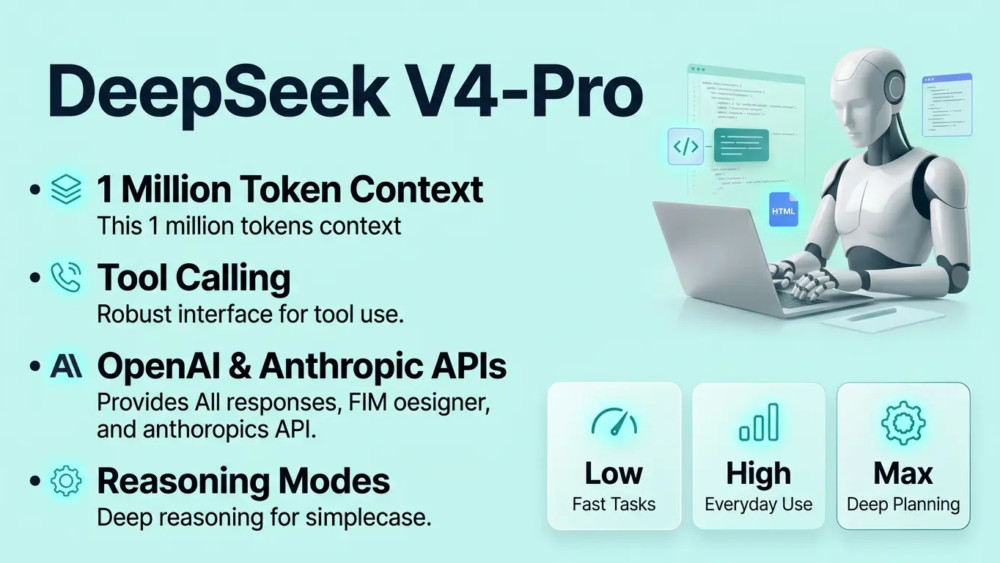
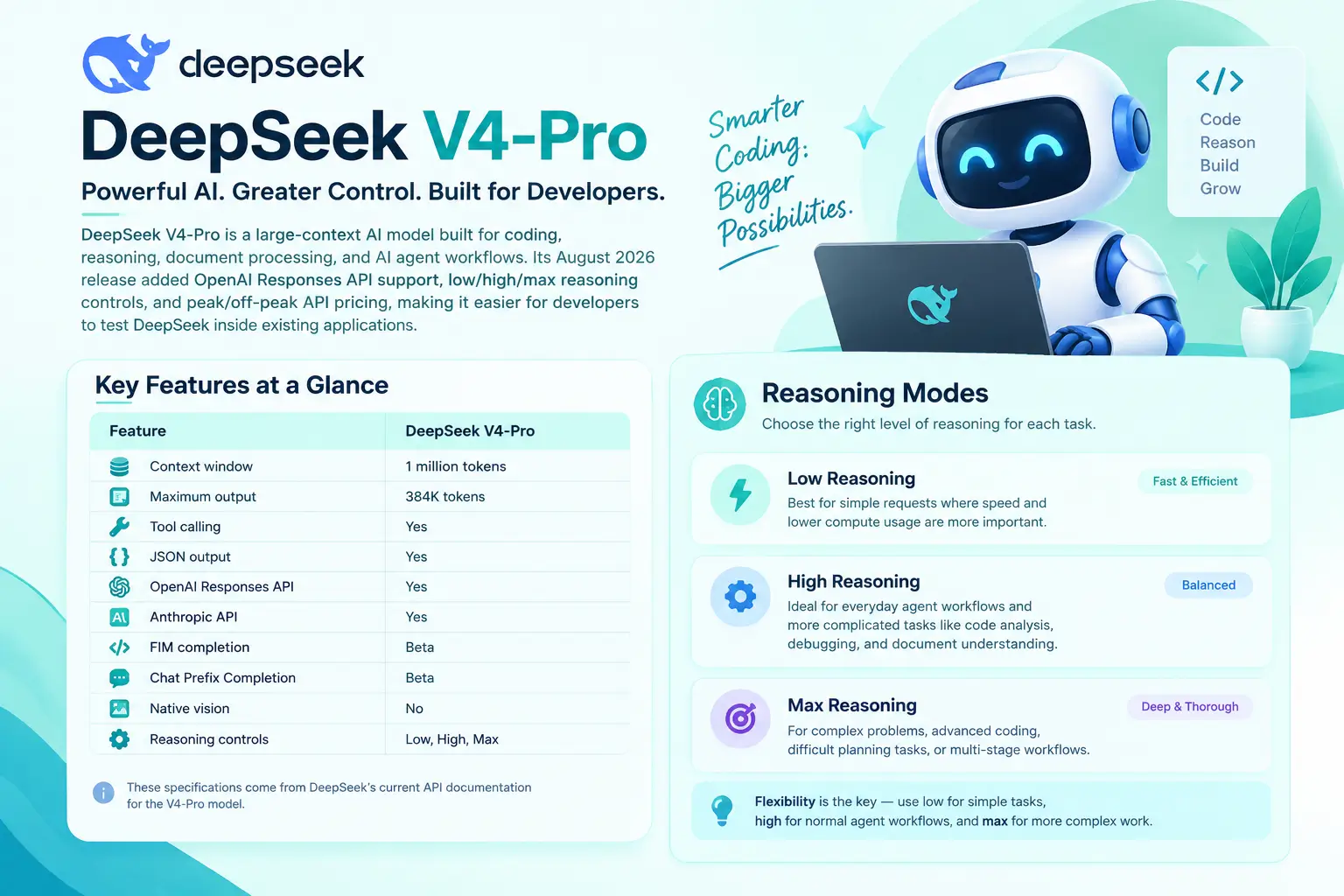
DeepSeek V4-Pro is a large-context AI model built for coding, reasoning, document processing, and AI agent workflows. Its August 2026 release added OpenAI Responses API support, low/high/max reasoning controls, and peak/off-peak API pricing, making it easier for developers to test DeepSeek inside existing applications.

If you are exploring different AI models for development, you can also read our article onClaude AI? to understand another major AI model platform. For businesses building automated support systems, our guide to chatbots explains how AI can be used in customer-facing workflows.

DeepSeek continues updating its model lineup, including V4.1-Flash and changes to the deepseek-v4-pro identifier.Artificial Flux covers DeepSeek API, pricing, and model updates to help developers understand these changes.

DeepSeek V4-Pro

What Is DeepSeek V4-Pro?

DeepSeek V4-Pro is part of DeepSeek’s V4 model family, designed around long-context reasoning and agentic workloads.

The original V4 preview described V4-Pro as a 1.6 trillion parameter Mixture-of-Experts model with 49 billion active parameters. The architecture was designed to handle large amounts of information while activating only part of the model for each token.

The production V4-Pro-0813 release focused heavily on software engineering and AI agent performance.

DeepSeek reported improvements across coding and agent benchmarks, including Terminal-Bench 2.1, DeepSWE, NL2Repo, CyberGym, and other tests.For developers, however, the model size is less important than what the API can actually do.

V4-Pro supports a 1-million-token context window, up to 384K maximum output, tool calls, JSON output, the Responses API, and Anthropic-compatible API access.This makes it relevant to applications that work with large codebases, lengthy documents, multi-step agent tasks, and structured AI workflows.

DeepSeek V4-Pro Features at a Glance

The main capabilities of the original V4-Pro-0813 model include:

Feature DeepSeek V4-Pro
Context window 1 million tokens
Maximum output 384K tokens
Tool calling Yes
JSON output Yes
OpenAI Responses API Yes
Anthropic API Yes
FIM completion Beta
Chat Prefix Completion Beta
Native vision No
Reasoning controls Low, High, Max

These specifications come from DeepSeek’s current API documentation for the V4-Pro model.

The combination of long context and tool support is especially useful for AI coding assistants and autonomous workflows.

DeepSeek V4-Pro Reasoning Modes

One of the most useful changes in the GA release was more control over reasoning effort.

DeepSeek introduced three reasoning levels for V4-Pro:

Low Reasoning

Low effort is intended for relatively simple requests where speed and lower compute usage are more important than extended reasoning.

For example, a developer could use it for basic text processing, straightforward transformations, or simpler coding tasks.

High Reasoning

High effort is designed for everyday agent workflows and more complicated tasks.

It can be useful for code analysis, debugging, document understanding, and tasks involving several steps.

Max Reasoning

Max provides the highest reasoning effort for difficult problems.

Developers may choose this mode for complex debugging, advanced coding problems, difficult planning tasks, or workflows where the model needs to reason through multiple stages.

The important advantage is flexibility.

Instead of using maximum reasoning for every request, an application can choose the effort level according to the complexity of each task. DeepSeek specifically describes low for simple tasks, high for normal agent workflows, and max for more complex work.

Why OpenAI Responses API Support Matters

For developers, API compatibility can be more important than a model’s marketing features.

DeepSeek V4-Pro added native support for the OpenAI Responses API in its August 2026 GA release. DeepSeek also provides an OpenAI-compatible base URL at https://api.deepseek.com.

This means developers who already understand the OpenAI API structure can test DeepSeek without designing an entirely new integration from scratch.

A typical migration involves changing the provider configuration, API key, and model selection while testing the application against DeepSeek.

However, compatibility does not mean identical behavior.

Developers should still test:

  • Tool calls
  • Structured outputs
  • Streaming
  • Error handling
  • Token usage
  • Response quality
  • Latency
  • Multi-turn conversations

DeepSeek’s Responses API is also stateless. For multi-turn applications, the client needs to provide the relevant conversation history rather than assuming the server will automatically store the conversation.

That detail matters when building production chatbots and AI agents.

DeepSeek V4-Pro Pricing

Pricing is one of the most important parts of the V4-Pro story.

DeepSeek introduced peak and off-peak pricing when V4-Pro reached general availability. Off-peak rates were set at half the peak rates.

The current DeepSeek pricing documentation lists the following V4-Pro rates:

Usage Off-Peak Peak
Cache-hit input / 1M tokens $0.022 $0.044
Cache-miss input / 1M tokens $0.66 $1.32
Output / 1M tokens $1.98 $3.96

Peak hours are 01:00–04:00 UTC and 06:00–10:00 UTC from Monday to Friday. Other hours are classified as off-peak.

This structure creates a different cost calculation for real-time applications and background workloads.

A system that must respond immediately during peak hours cannot simply use the off-peak rate when calculating its expected API budget.

Why Cache Hits Matter

Token pricing is not only about output.

DeepSeek separates input tokens into cache-hit and cache-miss categories.

A cache hit can cost significantly less than a cache miss. This can matter for applications that repeatedly send similar system instructions, documents, or context to the model.

For example, an AI agent that repeatedly works with the same project context may benefit more from caching than a system where every request contains completely new information.

This is why developers should estimate costs using their actual request pattern rather than looking at the output-token price alone.

Is DeepSeek V4-Pro Still Cheap?

The answer depends on when and how you use it.

At launch, V4-Pro had a much lower output price than the later peak rate. After the pricing change, the official rate became $1.98 per million output tokens during off-peak periods and $3.96 during peak periods.

Consider a simple example.

If an application generates 10 million output tokens:

  • At $1.98/M, the output cost is $19.80.
  • At $3.96/M, the output cost is $39.60.

That difference becomes important for high-volume AI applications.

For background jobs such as document processing or overnight data extraction, scheduling can therefore become part of the cost strategy.

Coding and AI Agent Performance

Coding and autonomous agents were major priorities for the V4-Pro GA release.

DeepSeek reported the following results for its August 13 production model:

Benchmark V4-Pro-0813
Terminal-Bench 2.1 87.9
DeepSWE 62.7
NL2Repo 61.5
CyberGym 83.3
Toolathlon-Verified 74.1
AutomationBench 31.8
DSBench-FullStack 71.1
DSBench-Hard 67.2

These are DeepSeek-reported benchmark results, so they should not be treated as guaranteed production performance. DeepSeek notes that its Code Agent tests used a specific harness and configuration, and results may vary with different frameworks.

For that reason, developers should test V4-Pro with their own codebase and workflows.

A model can perform strongly on a public benchmark while producing different results in a real application with different prompts, tools, repositories, and evaluation criteria.

DeepSeek V4-Pro and Long-Context Applications

The 1-million-token context window is another major feature.

Large context can be useful when an application needs to process information that would normally have to be divided into many smaller requests.

Potential use cases include:

Large code repositories

Developers can provide more project context when asking an AI coding assistant to understand relationships between files.

Long documents

Legal, technical, business, or research documents can contain thousands of pages or large amounts of text.

Agent workflows

Agents often need to retain information about previous actions, tool outputs, files, and instructions.

Knowledge-intensive applications

Long context can reduce the need to repeatedly retrieve and summarize smaller pieces of information.However, a larger context window is not automatically better.Sending unnecessary information can increase token usage and make it harder for a model to focus on the most relevant details.

The Main Limitation: Vision

The original V4-Pro model does not support native vision input.

DeepSeek’s current pricing documentation lists V4-Pro as having no vision support, while the newer V4.1-Flash model supports native visual understanding.

This distinction matters for applications that need to analyze screenshots, images, charts, interfaces, or visual documents.

For a text-only coding assistant, it may not be a major problem.For an application that needs both text and image understanding, the newer V4.1-Flash model deserves attention.

DeepSeek V4.1-Flash Changes the Picture

DeepSeek introduced V4.1-Flash on September 10, 2026.

The company describes it as a new architecture designed for higher capability, faster inference, and greater throughput. It also adds native multimodal visual understanding.

DeepSeek reports strong results on several agent and coding benchmarks, including Terminal-Bench 2.1, DeepSWE, NL2Repo-Bench, and CyberGym. These are company-reported results and should be evaluated independently for specific workloads.

The new model is available through the API using:

deepseek-flash

This is an important distinction for anyone researching old V4-Pro reviews.The DeepSeek model lineup is moving quickly, so the model name and the underlying model version should always be checked before making a production decision.

What Happened to the DeepSeek V4-Pro API?

This is where current documentation requires some attention.

DeepSeek’s September 10 announcement said that requests using deepseek-v4-pro would be routed to V4.1-Flash after September 14 until V4.1-Pro becomes available.However, DeepSeek’s current English pricing and API documentation still lists DeepSeek-V4-Pro-0813 as a separate model and says API service for V4-Pro continues after September 14.

Because these official pages do not present the model status in exactly the same way, developers should check the live DeepSeek API documentation before changing production configurations.

This is particularly important for applications that depend on stable model behavior.

A Simple Developer Example

Imagine a developer has an existing AI application using an OpenAI-compatible API.

The application handles customer questions, generates structured responses, and occasionally calls external tools.

Instead of rewriting the entire application, the developer can create a separate DeepSeek test environment, change the API configuration, and send the same representative requests through the new model.

The developer can then compare:

  • Response quality
  • Coding accuracy
  • Tool-call reliability
  • Response time
  • Token consumption
  • Error rates
  • Total API cost

This approach gives a more useful result than switching an entire production system based only on benchmark scores.

How to Use DeepSeek V4-Pro API

Developers who want to test the API can follow a straightforward process:

  1. Create a DeepSeek API account and generate an API key.
  2. Configure the OpenAI-compatible base URL as https://api.deepseek.com.
  3. Select the model documented for your intended workload.
  4. Send a small set of real application prompts.
  5. Test structured output and tool calls.
  6. Measure input and output token usage.
  7. Compare performance and cost with your current provider.
  8. Move only tested workloads into production.

DeepSeek’s official API documentation confirms compatibility with OpenAI and Anthropic SDK patterns.

Who Should Consider DeepSeek V4-Pro?

DeepSeek V4-Pro is particularly relevant to developers working on text-heavy applications.

AI coding tools

The model’s coding and agent capabilities make it relevant for code assistants and software-development workflows.

AI agents

Tool calling and reasoning controls can support applications that perform several actions instead of simply returning text.

Document analysis

The 1M-token context window can be useful for large text collections and long documents.

Automated workflows

Background tasks can potentially benefit from off-peak pricing when immediate processing is not required.

Existing API applications

OpenAI and Anthropic API compatibility makes testing easier for teams that already use compatible development patterns.

Who May Need Another Model?

V4-Pro is not suitable for every workload.

Applications that depend heavily on native image understanding need a multimodal model. DeepSeek’s newer V4.1-Flash adds this capability.Teams with strict latency requirements should also test real production traffic rather than relying on benchmark scores.

Likewise, organizations should separately evaluate security requirements, compliance needs, monitoring, reliability, support, and data-handling policies.API compatibility solves an integration problem. It does not automatically solve every production requirement.

DeepSeek V4-Pro vs V4.1-Flash

The difference can be summarized simply:

Feature V4-Pro-0813 V4.1-Flash
Context 1M tokens 1M tokens
Tool calls Yes Yes
Responses API Yes Yes
Vision No Yes
Maximum output 384K 384K
Model generation V4 V4.1
Main focus Reasoning, coding, agents Speed, agents, multimodal workloads

DeepSeek’s current documentation lists V4.1-Flash as the newer model and V4-Pro-0813 as the previous-generation model.

For anyone researching DeepSeek today, this distinction is more useful than comparing only the model names.

Frequently Asked Questions

What is DeepSeek V4-Pro?

DeepSeek V4-Pro is a large-context AI model designed for reasoning, coding, document processing, and agent-based applications.

Does DeepSeek V4-Pro support the OpenAI API?

Yes. DeepSeek provides an OpenAI-compatible API and V4-Pro supports the Responses API format.

What is the DeepSeek V4-Pro context window?

V4-Pro supports a 1-million-token context window with a maximum output of up to 384K tokens.

What are the V4-Pro reasoning levels?

The GA release introduced low, high, and max reasoning effort levels for different task complexities.

Does DeepSeek V4-Pro understand images?

The original V4-Pro does not support native vision input. DeepSeek V4.1-Flash adds native multimodal visual understanding.

How much does DeepSeek V4-Pro cost?

Current listed V4-Pro pricing is $0.66/M for cache-miss input and $1.98/M for output during off-peak hours, rising to $1.32/M and $3.96/M during peak periods.

Can I use DeepSeek with an OpenAI SDK?

Yes. DeepSeek provides an OpenAI-compatible base URL at https://api.deepseek.com.

Is DeepSeek V4-Pro good for coding?

DeepSeek specifically improved V4-Pro’s agent and coding performance in the August GA release. However, developers should test it against their own repositories and coding tasks rather than relying only on benchmark results.

What is the latest DeepSeek model?

DeepSeek released V4.1-Flash in September 2026. It adds native multimodal understanding and is the newer model generation compared with V4-Pro-0813.

Final Thoughts on DeepSeek V4-Pro

DeepSeek V4-Pro combines a 1M-token context window, reasoning controls, tool calling, coding capabilities, and OpenAI API compatibility for developers building AI agents, coding tools, and text-based applications. Its peak and off-peak pricing also gives developers different options for managing API costs.

With DeepSeek V4.1-Flash now available, developers should check the latest model specifications, pricing, and API documentation before choosing a DeepSeek model.Testing the model with real workloads can help measure response quality, token usage, and overall API performance.

ElevenLabs v3

ElevenLabs v3: What’s New in the Latest Voice Model?

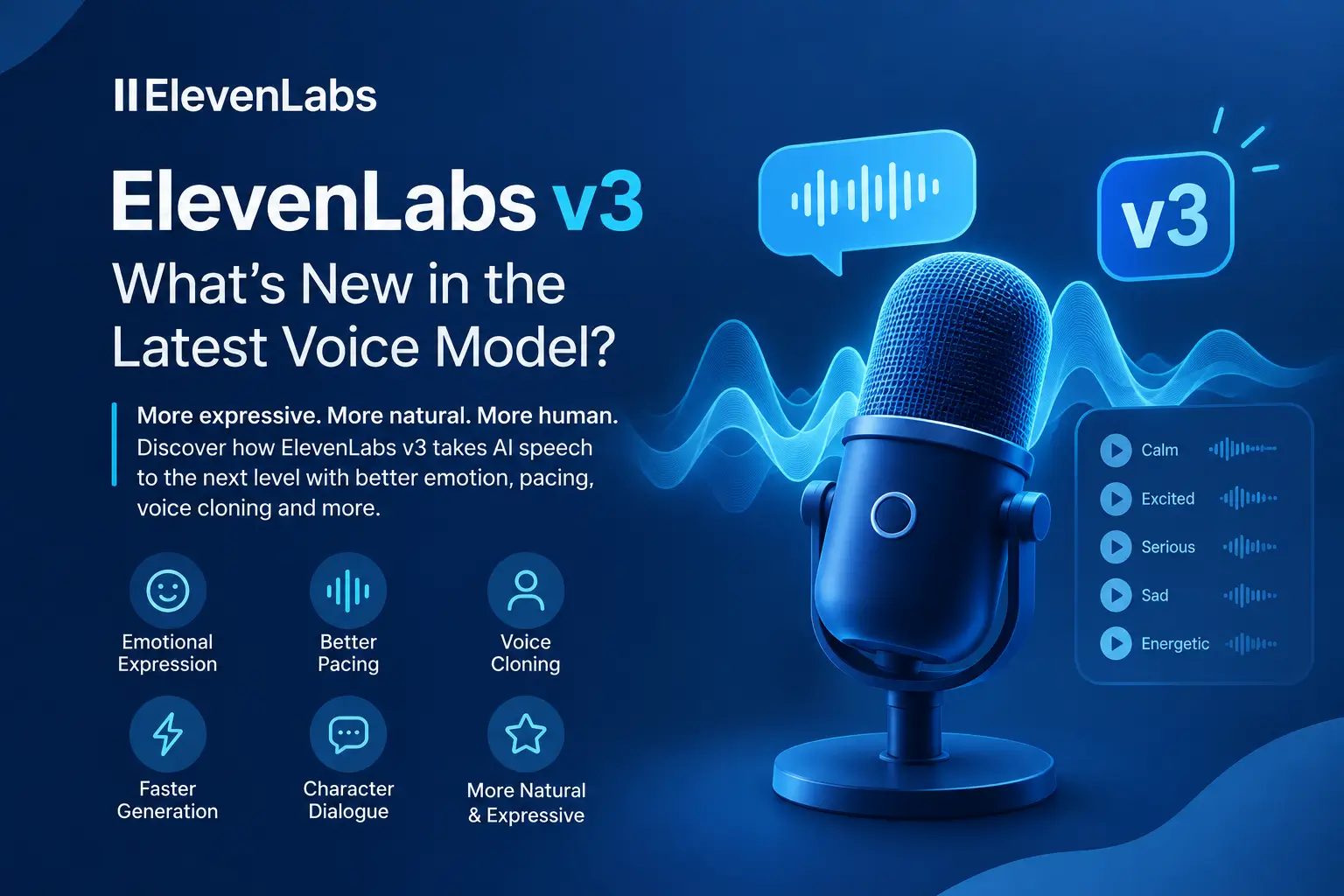
ElevenLabs v3 is the company’s latest voice generation model, designed to make AI speech more expressive, natural, and emotionally convincing. Released in March 2026, it improves areas such as emotional delivery, pacing, voice cloning, and character dialogue, making it especially useful for creators who need more than basic text-to-speech.

AI tools are becoming useful for many types of digital work. For example, Artificial Flux covers practical topics around AI and digital technology. You can also read our beginner-friendly articles on What Is Napkin AI? and What Is Claude AI? to explore other popular AI tools.

ElevenLabs v3

What Is ElevenLabs v3?

ElevenLabs v3 is a text-to-speech model from ElevenLabs that turns written text into spoken audio. Its main focus is not only realistic pronunciation but also how a voice delivers the words.

Earlier AI voices could sound clear and natural but sometimes lacked emotional depth. ElevenLabs v3 aims to improve this by giving voices more control over tone, rhythm, pauses, and emotional expression.

This makes the model useful for videos, storytelling, character dialogue, podcasts, games, advertisements, and other projects that depend on expressive speech.

What’s New in ElevenLabs v3?

The biggest improvement in ElevenLabs v3 is its ability to produce more expressive speech. However, the update also brings improvements to pacing, voice characteristics, and overall audio generation.

More Natural Emotional Expression

ElevenLabs v3 can create stronger changes in emotion and speaking style. A sentence can sound calm, excited, serious, worried, or energetic depending on the context.This is particularly useful when a script contains different emotions instead of using one consistent narration style.

For example, a character can sound relaxed during one part of a conversation and more frustrated later. The goal is to make these changes feel like part of the same performance rather than separate audio clips.

Better Speech Pacing

Punctuation can have an important effect on AI-generated speech. Commas, pauses, questions, and longer breaks can help shape the way a sentence sounds.

ElevenLabs v3 provides more expressive control over these changes. As a result, dialogue can feel less rushed and narration can have a more natural rhythm.

Improved Voice Cloning

Voice cloning remains one of ElevenLabs’ most important features. The newer model aims to preserve more of the characteristics that make a person’s voice recognizable.

Small details such as speaking rhythm, pronunciation, and vocal patterns can make a cloned voice feel more personal.However, the quality of the original recording still matters. A clean and suitable voice sample can produce better results than noisy or inconsistent audio.

Faster Audio Generation

Generation speed also matters when creators produce several versions of the same script. Faster processing can reduce waiting time and make testing different voices or deliveries easier.This can be especially helpful for video production, voice applications, and other workflows where audio needs to be generated repeatedly.

How Does ElevenLabs v3 Sound?

The difference becomes easier to notice when the model is used for different types of content.

ElevenLabs v3 for Narration

For educational videos, tutorials, documentaries, and explainer content, natural pronunciation and consistent pacing are usually more important than dramatic emotion.In these situations, the improvement may feel smaller because earlier ElevenLabs models were already strong at standard narration.

Still, better pauses and smoother delivery can make longer recordings easier to listen to.

ElevenLabs v3 for Character Voices

Character dialogue is where expressive speech becomes much more important.A character needs to communicate personality through tone, intensity, and timing. ElevenLabs v3 can make these changes more noticeable, which can help with animations, games, stories, and fictional conversations.

The result can feel more like a performance than simple text being read aloud.

ElevenLabs v3 for Emotional Content

Emotional scripts can benefit from stronger vocal variation. Scenes involving excitement, frustration, sadness, fear, or warmth can sound more engaging when the voice responds naturally to the words.However, the model still has limits. Long scenes with very complex emotions may lose some consistency over time.

ElevenLabs v3 for Voice Cloning

Creators can also use expressive generation with cloned voices. This can be useful when a project needs a consistent voice across multiple videos or recordings.The important point is that voice cloning should be used responsibly and only with the appropriate permission.

ElevenLabs v3 vs ElevenLabs v2

Feature ElevenLabs v2 ElevenLabs v3
Natural speech Very good Improved
Emotional range Good Stronger
Voice cloning High quality More expressive
Pacing Natural More dynamic
Character dialogue Good Better suited
Emotional scenes Some limitations Improved
Long-form narration Strong Strong

The biggest difference is not basic speech quality. Instead, ElevenLabs v3 focuses more heavily on expressiveness and emotional delivery.

What Are the Limitations of ElevenLabs v3?

ElevenLabs v3 is an improvement, but it does not make AI voices perfect.

Long emotional performances can still become less consistent. A voice may start with convincing emotion and then become more controlled as the script continues.Rapid emotional changes can also be difficult. For example, switching from laughter to sadness within a very short section may not always sound completely natural.

Another limitation is that AI-generated speech does not provide the same level of interpretation as a professional human actor. Human performers can react to context, character motivation, and subtle changes in a scene in ways AI models may not fully reproduce.For professional projects, reviewing and editing the generated audio is still important.

Who Should Use ElevenLabs v3?

ElevenLabs v3 can be useful for creators and businesses working with spoken content.

It may be particularly valuable for:

  • YouTube video creators
  • Podcast producers
  • Audiobook creators
  • Animation teams
  • Game developers
  • Marketing teams
  • Educational content creators
  • Social media creators
  • Businesses creating voice-based content

Users who only need simple, neutral narration may notice a smaller improvement. However, projects that depend on personality and emotion can benefit much more from the newer model.

How to Use ElevenLabs v3

Getting started is straightforward if the model is available in your ElevenLabs account.

  1. Open ElevenLabs and sign in.
  2. Choose the text-to-speech tool.
  3. Select an available v3 voice model.
  4. Pick a suitable voice for your project.
  5. Add your script.
  6. Adjust the wording and punctuation for natural delivery.
  7. Generate the audio.
  8. Listen to the result and regenerate sections that need improvement.

A well-written script can make a noticeable difference. Shorter sentences, natural punctuation, and clear dialogue can help the voice deliver the content more effectively.

A Practical Example of ElevenLabs v3

Imagine a YouTube creator producing a short animated story.The opening scene uses a calm voice to introduce the characters. Later, one character becomes frustrated while another tries to calm the situation. With a model focused mainly on neutral speech, these changes may sound like different levels of volume rather than genuine emotion.

ElevenLabs v3 can make the contrast more noticeable through changes in tone, pacing, and intensity. The creator still needs to review the output, but less manual adjustment may be needed to make the dialogue engaging.

ElevenLabs v3 for Content Creation

AI voice technology is becoming part of modern content production. Instead of recording every line manually, creators can generate voiceovers and then spend more time editing the video, visuals, and overall story.

For example, a marketing team can use AI voice generation for product videos. An educator can create narration for lessons, while a game developer can produce temporary character dialogue during development.This flexibility makes voice AI useful across different digital workflows.

ElevenLabs v3 Pricing and Availability

ElevenLabs offers different plans and usage levels, and model availability can change over time. Your actual cost can also depend on how much audio you generate and which features you use.
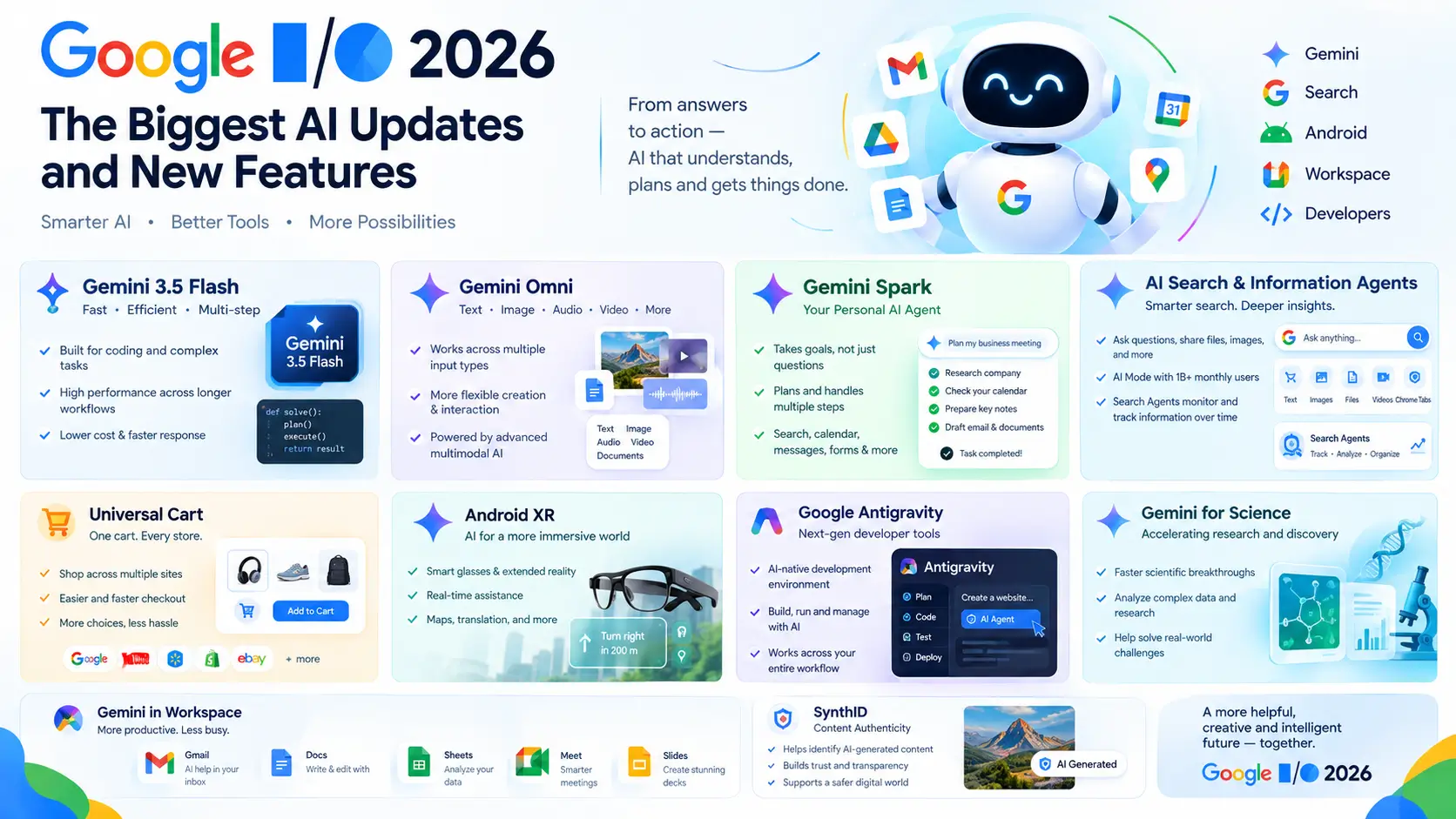
Because pricing and access can change, it is best to check the current plans directly on ElevenLabs’ official website before choosing a subscription.

How Does ElevenLabs v3 Compare With Other Voice AI Tools?

The AI voice market has become increasingly competitive. Several platforms now offer realistic text-to-speech, voice cloning, multilingual voices, and tools for creators.ElevenLabs continues to stand out because it combines natural speech with voice customization and expressive delivery.

The right tool still depends on the project. Some users may prioritize price, while others may care more about languages, API access, voice cloning, editing features, or emotional performance.Therefore, testing the same script across different platforms can be a useful way to find the best option.

Is ElevenLabs v3 Worth Using?

For users who need expressive AI voices, ElevenLabs v3 is a meaningful improvement.

Character creators, storytellers, video producers, and marketers can benefit from stronger emotional delivery and more flexible speech. Meanwhile, users creating simple educational or informational narration may notice a smaller difference.Overall, the update makes ElevenLabs more capable for projects where voice emotion, personality, and natural delivery matter.

Frequently Asked Questions

What is ElevenLabs v3?

ElevenLabs v3 is a newer text-to-speech model focused on natural, expressive, and emotionally varied AI voices.

Is ElevenLabs v3 better than v2?

Yes, especially for emotional speech, character dialogue, pacing, and expressive voice generation.

Can ElevenLabs v3 create emotional voices?

Yes, it is designed to produce stronger emotional variation and more expressive speech.

Does ElevenLabs v3 support voice cloning?

Yes, ElevenLabs provides voice cloning features, although results depend on the quality and suitability of the voice sample.

Is ElevenLabs v3 free?

ElevenLabs has free and paid options, but available models and usage limits can vary by plan.

Can I use ElevenLabs v3 for YouTube videos?

Yes, it can be used to create voiceovers and narration for suitable YouTube content.

Is ElevenLabs v3 good for character voices?

Yes, its stronger emotional and expressive delivery makes it particularly useful for character dialogue.

Can ElevenLabs v3 replace human voice actors?

Not completely, because human actors still offer deeper interpretation and emotional control for complex performances.

Final Verdict

ElevenLabs v3 moves AI voice generation closer to natural human-style performance. Its biggest strength is not simply making speech clearer; it is giving voices more emotion, personality, pacing, and variation.

Napkin AI

Napkin AI: Turn Written Ideas Into Visual Content

Napkin AI is an AI-powered visual tool that turns written ideas into diagrams, charts, flowcharts, and other visual content. You can start with simple text and create a visual without designing everything from the beginning.

For example, you can give Napkin AI a list of business steps and use it to create a process diagram. This makes information easier to read, understand, and share.

If you are exploring AI tools for content creation, This Platform can help turn blog ideas, reports, notes, and presentations into simple visuals. Artificial Flux also shares practical insights on AI tools, web design, and digital solutions to help you improve your online content.You can learn more about the tool on the official Napkin AI website.

Napkin AI

What Is Napkin AI?

Napkin AI is a visual communication tool that uses artificial intelligence to convert text into visual explanations.

Instead of opening a blank design canvas, you begin with information. You can add a paragraph, notes, ideas, or a structured list. Napkin AI then analyzes the content and suggests a visual format.

These visuals can include:

  • Flowcharts
  • Process diagrams
  • Timelines
  • Comparison visuals
  • Concept maps
  • Charts
  • Other information-based graphics

The main purpose of Napkin AI is to make written information easier to understand through visuals.

How Does Napkin AI Work?

This Platform looks at the meaning and structure of your text. It then tries to find a visual format that matches the information.

For example, imagine you write:

“First, a customer visits the website. Next, they choose a product. Then, they add it to the cart and complete the payment.”

Instead of leaving these steps as a paragraph, Napkin AI can turn them into a simple process that shows each stage.This approach is helpful because the user does not need to manually create every box, arrow, or section.

How to Use Napkin AI

Getting started with This AI Tool is simple, even if you have little design experience.

  1. Open Napkin AI and create or start a project.
  2. Add your written content to the workspace.
  3. Select the information you want to turn into a visual.
  4. Generate visual ideas from the selected content.
  5. Choose the visual that fits your topic.
  6. Make changes to the text, icons, layout, or style if needed.
  7. Export the finished visual for your project.

The exact interface and available options can change as the platform develops, so users should check Napkin AI for the latest features.

What Can Napkin AI Create?

This AI Tool is mainly useful for information that can be explained through relationships, steps, comparisons, or structures.

Flowcharts

Flowcharts can show how a process moves from one step to another.They can be useful for business workflows, customer journeys, project processes, and simple technical explanations.

Process Diagrams

A process diagram can explain a system or workflow in a visual way.For example, a company could use one to explain how a new employee moves through an onboarding process.

Comparison Visuals

Comparisons help readers quickly see how two or more options are different.You can use them for product comparisons, business strategies, features, services, or concepts.

Timelines

Timelines are useful when information follows a specific order.

They can help explain project stages, historical events, product development, or other time-based information.

Concept Maps

A concept map connects related ideas.

This can be useful for education, brainstorming, research, and explaining topics with several connected parts.

Who Can Use Napkin AI?

The AI visual tool is not limited to professional designers. Its text-based approach can make it useful for many types of users.

Students

Students can turn notes into visual summaries to make revision easier.

Teachers

Teachers can create visual explanations for lessons, presentations, and classroom materials.

Bloggers

Bloggers can turn important points from an article into visuals that support the written content.

Marketers

Marketing teams can create simple visual explanations for campaigns, customer journeys, and business presentations.

Business Professionals

Managers and consultants can use diagrams to explain plans, workflows, and processes.

Technical Writers

Technical writers can use visual content to make complex documentation easier for readers.

NapkinAI for Content Creation

Written content is often easier to understand when important information is supported by visuals.

For example, a blog post about a business process may contain several paragraphs explaining how the process works. A simple diagram can summarize those steps in a few seconds.

This makes AI useful for content marketing, educational content, presentations, reports, and social media graphics.However, the visual should support the information rather than replace useful written explanations.

NapkinAI for Presentations

Presentations often contain too much text.A slide with several long paragraphs can be difficult to read. A visual diagram can present the same idea in a simpler format.

NapkinAI can help users turn written presentation notes into visual content that can then be reviewed and edited before adding it to a presentation.This can save time when creating process diagrams or information-heavy slides.

AI Napkin for Business

Businesses can use visual communication to explain information to employees, customers, and stakeholders.

For example, a company could create visuals for:

  • Business workflows
  • Customer journeys
  • Training materials
  • Project processes
  • Product explanations
  • Internal documentation
  • Strategy presentations

Visual content can make complex business information easier to scan and discuss.

A Simple Example of Using Napkin AI

Imagine a small online business wants to explain its order process.

The owner writes:

“Customer places an order, the team checks the payment, the product is prepared, the package is shipped, and the customer receives the order.”

This AI Tool can turn these written steps into a visual process.The owner can then review the result, make any necessary changes, and use the visual in a presentation, website, or internal document.

This example shows where the tool can save time: the user already understands the process, but This AI Tool helps present that information visually.

Napkin AI Features

Napkin AI focuses on creating visuals from written information rather than offering every feature found in a traditional design application.

Important capabilities include:

Text-to-Visual Creation

The core feature is converting written information into visual formats.

AI-Generated Visual Ideas

The tool can suggest different ways to represent the same information.

Visual Editing

Users can make changes to generated visuals instead of accepting the first result exactly as it appears.

Icons and Visual Elements

Visual elements can help make diagrams easier to understand and more attractive.

Export Options

Generated visuals can be exported for use in other documents, presentations, and content workflows. The competitor review specifically reports PNG and SVG export options.

Is Napkin AI Easy for Beginners?

Yes. One of the main ideas behind Napkin AI is to reduce the amount of manual design work needed to create information-based visuals.A beginner does not need to know how to build a flowchart from scratch.

Instead, the user can focus on writing clear information and then review the visual created from that information.Still, AI-generated visuals should be checked before publishing. If the original text is unclear, the resulting visual may also communicate the wrong idea.

Napkin AI Pricing

Napkin AI has offered a free option as well as paid plans. The competitor source reports that its March 2026 pricing included a Free plan, a Pro plan listed at approximately $8–$10 per month with annual billing, and custom pricing for Teams and Enterprise.

Pricing, limits, and features can change over time. Therefore, anyone planning to subscribe should check the current pricing directly on Napkin AI before making a purchase.For occasional users, starting with the free option can be a practical way to understand whether the tool fits their workflow.

Benefits of Napkin AI

Napkin AI can be useful when you need a visual but do not want to spend a lot of time creating one manually.

Saves Design Time

The AI handles much of the initial visual creation, so users can focus more on the information.

Easy Starting Point

You do not have to begin with an empty canvas.

Useful for Different Content

The same approach can work with business notes, educational material, articles, reports, and presentations.

Makes Information More Visual

Diagrams and visual summaries can help readers understand relationships and processes more quickly.

Helpful for Non-Designers

People without professional design skills can use the tool to create simple information-based visuals.

Limitations of Napkin AI

Napkin AI is useful for a specific type of visual work, but it may not be suitable for every design project.

Limited Creative Control

Professional designers may want more control over exact positions, layouts, typography, and individual elements.

AI Results Need Checking

The generated visual may not always represent the original idea perfectly.

Not a Full Design Platform

The AI Visual Toofocuses on information visualization. It is not intended to provide the complete range of tools found in advanced graphic design software.

Not Ideal for Every Data Project

If you need advanced visualizations based on live databases, spreadsheets, or complex datasets, a dedicated data visualization tool may be a better choice. The competitor article also identifies the lack of live data integration as a limitation.

Napkin AI vs Canva

Canva is a broader design platform with templates and tools for many types of creative content.

The Tool has a narrower purpose: turning written information into visual explanations.Choose The Ai tool when your main goal is to quickly visualize text. Choose Canva when you need more general graphic design and creative control.

Napkin AI vs Miro

Miro focuses strongly on online whiteboards, brainstorming, diagrams, and team collaboration.

Napkin AI is more focused on starting with written content and converting it into visuals.Therefore, the better option depends on whether your priority is text-to-visual creation or collaborative visual work.

Napkin AI vs Microsoft Tools

Microsoft offers several tools that can support diagrams, presentations, and visual content.

These tools may be convenient for people already working within Microsoft 365. Napkin AI can be more attractive when the main task is quickly converting written ideas into visual explanations.

When Should You Use Napkin AI?

Napkin AI can be a good choice when:

  • You already have written content.
  • You need a diagram quickly.
  • You do not have advanced design skills.
  • You want to explain a process visually.
  • You create presentations or reports.
  • You need visual support for educational or marketing content.

It may not be the best choice when you need highly customized artwork, advanced data visualization, or complete design control.

Is Napkin AI Worth Using?

Napkin AI can be valuable for users who frequently need to explain information through diagrams and visual content.Its biggest advantage is the simple starting point. Instead of designing from an empty page, you provide information and build from the generated result.

However, the tool works best when the content is clear and the user is willing to review the output.For quick business diagrams, educational visuals, documentation, and content marketing, Napkin AI is worth testing.

Frequently Asked Questions

What is Napkin AI?

Napkin AI is an AI-powered tool that converts written information into visual content such as diagrams, charts, and process visuals.

What is Napkin AI used for?

It is used to create visual explanations from text for presentations, reports, education, marketing, documentation, and business workflows.

Is Napkin AI free?

Napkin AI has offered a free plan, while paid plans provide additional usage and features.

Can Napkin AI turn text into a diagram?

Yes, its main purpose is to transform written information into different types of visual diagrams.

Is Napkin AI good for students?

Yes, students can use it to turn notes and complex ideas into simple visual explanations.

Can I use Napkin AI for blog posts?

Yes, you can create supporting visuals from important information in a blog post.

Does Napkin AI replace Canva?

No, Napkin AI focuses on text-based visual communication, while Canva covers a much wider range of graphic design needs.

Can beginners use Napkin AI?

Yes, beginners can use it because the workflow starts with written content instead of requiring advanced design skills.

Does Napkin AI create infographics?

It can create information-based visual layouts, although the exact visual types and features may change as the platform develops.

Is NapkinAI useful for business?

Yes, businesses can use it to explain workflows, processes, reports, presentations, training information, and customer journeys.

Final Thoughts

Napkin AI focuses on one useful idea: turning written information into visuals with less manual design work.It can help students, marketers, businesses, bloggers, teachers, and technical writers present information in a clearer way.

The tool is not a replacement for every design platform. Instead, it works best when you have useful information and need a simple visual way to explain it.If your work involves turning text into diagrams, process visuals, or presentations, NapkinAI is worth exploring.

Windsurf AI pricing

Windsurf AI Pricing 2026: Plans, Cost, Features & Comparison

Windsurf AI pricing starts at $0, with paid plans for individual developers, heavy users, teams, and enterprises. For most developers, Windsurf Pro at $20 per month is the main paid option to consider.

AI coding tools are changing how developers build websites, applications, and software. If you are exploring AI tools for development, you can also read our article on what ChatGPT is and how it works to understand how AI assistants support everyday tasks.

You may also be interested in our article about chatbots for customer service, which explains how businesses use AI to automate customer interactions.

Windsurf AI pricing

Windsurf AI Pricing at a Glance

Windsurf offers Free, Pro, Max, Teams, and Enterprise plans for different coding needs. Artificial Flux helps readers explore AI tools and choose the right solution for their projects.

Windsurf Plan Price Best For
Free $0 Beginners and testing
Pro $20/month Individual developers
Max $200/month Heavy AI coding
Teams $40/user/month Development teams
Enterprise Custom Large organizations

The competitor source lists these prices in its June 2026 pricing snapshot, while also noting that pricing can change over time.

What Is Windsurf AI?

Windsurf is an AI code editor that helps developers write, understand, edit, and debug software.

Its AI coding assistant, Cascade, can work across project files and help developers complete larger development tasks instead of only suggesting individual lines of code.This makes Windsurf useful for software development, debugging, code refactoring, feature creation, and other programming workflows.

Windsurf Free Plan

The Windsurf Free plan costs $0 and provides a simple way to test the platform before purchasing a subscription.

According to the competitor source, the Free plan includes unlimited AI autocomplete but limits advanced Cascade usage.For beginners, students, and developers testing AI-assisted coding, the free version can be a good starting point.

What Can You Do With Windsurf Free?

You can use the Free plan to:

  • Test the Windsurf code editor
  • Explore AI autocomplete
  • Try Cascade within its available limits
  • Work on small coding projects
  • Decide whether Windsurf fits your workflow

However, developers who use AI coding features frequently may need a paid plan.

Windsurf Pro Pricing

Windsurf Pro costs $20 per month and is designed for individual developers who want more regular access to AI coding features.

The competitor describes Pro as the primary individual plan and highlights its Cascade access, priority model access, autocomplete, and advanced editor features.For many developers, Pro offers a better balance between Windsurf AI pricing and everyday coding needs.

Is Windsurf Pro Worth $20?

Windsurf Pro can be worthwhile if you use AI coding assistance every day.It can help with writing code, fixing errors, explaining unfamiliar code, refactoring files, and developing new features.

Occasional users may get enough value from the Free plan, so testing Windsurf first can help you decide whether the monthly subscription is necessary.

Windsurf AI Credit and Usage System

AI coding platforms often use different systems to manage model usage.

Some services limit premium requests, while others provide usage allowances based on the selected plan or model. Windsurf’s pricing approach has also evolved, so older pricing articles may not accurately represent its current structure.

For this reason, developers should check the current Windsurf pricing page before subscribing.The important question is how often you plan to use Cascade, AI code generation, autocomplete, and other AI development features.

Windsurf Max Pricing

Windsurf Max costs $200 per month and targets individual developers with very high AI coding requirements.

The competitor describes Max as a premium individual plan with higher usage capacity and priority access to advanced models.At $200 per month, Max is not designed for typical casual users.

Who Should Choose Windsurf Max?

Max may make sense for developers who use AI coding tools for a large part of their working day.

It can also suit users working on large software projects who regularly need extensive AI assistance.For most individual developers, starting with Pro is a more practical approach.

Windsurf Teams Pricing

Windsurf Teams costs $40 per user per month in the competitor’s 2026 pricing snapshot.

This plan focuses more on team administration and management than simply adding AI features for individual developers.

Windsurf Teams Features

The Teams plan can provide organization-focused features such as centralized billing, user management, administrative controls, team analytics, and priority support.

That makes it more useful for companies managing several developers than for freelancers.If you are working alone, Pro is generally the more relevant plan to evaluate first.

Windsurf Enterprise Pricing

Windsurf Enterprise uses custom pricing rather than a standard monthly subscription.

The Enterprise option is intended for larger organizations that need advanced security, compliance, administration, support, and deployment requirements.

Enterprise features mentioned in the competitor article include SSO/SAML, security controls, dedicated support, custom deployment options, and data residency controls.The final price can depend on organization size, number of users, contract requirements, and business needs.

Windsurf vs Cursor Pricing

Windsurf vs Cursor is one of the most important comparisons for developers choosing an AI code editor.

The competitor’s June 2026 pricing comparison lists both Windsurf Pro and Cursor Pro at $20 per month, while their team plans are listed at $40 per user per month.

Pricing Factor Windsurf Cursor
Individual $20/month $20/month
Team $40/user/month $40/user/month
Free option Yes Yes
AI coding Yes Yes
AI agent workflow Cascade Agent
Best for Windsurf workflow Cursor workflow

The price difference is therefore not the main deciding factor.

Instead, developers should compare AI coding features, agent capabilities, project context, model access, usage limits, and personal workflow.

Windsurf or Cursor: Which Is Better?

Windsurf can be a strong choice for developers who prefer Cascade and its overall editor experience.

Cursor may be more appealing to developers who need advanced agent workflows or frequently work with large and complex codebases.The best choice depends on your projects and how you use AI during development.

Real-World Example: Choosing a Windsurf Plan

Consider a freelance web developer who builds WordPress websites and small web applications.

They start with Windsurf Free to test AI autocomplete and Cascade. After using AI assistance regularly, they move to Pro because the free usage no longer fits their daily workflow.

They do not need Max because their workload is moderate, and they do not need Teams because they work independently.This example shows why Windsurf pricing should be matched to actual usage rather than simply choosing the most expensive plan.

How to Start Using Windsurf AI

You can start using Windsurf without immediately purchasing a premium subscription.

  1. Download and install Windsurf.
  2. Create or sign in to your account.
  3. Open an existing project or create a new one.
  4. Test AI autocomplete and Cascade.
  5. Use Windsurf on a real project.
  6. Upgrade when the Free plan no longer meets your needs.

Testing the editor with real development work gives you a better idea of its value than using it only for small experiments.

Which Windsurf Plan Should You Choose?

Windsurf Free

Choose Free if you want to test the AI code editor, learn how Cascade works, or use AI assistance occasionally.

Windsurf Pro

Choose Pro if you are an individual developer who regularly uses AI for coding, debugging, refactoring, and feature development.

Windsurf Max

Choose Max if you have unusually high AI coding usage and need substantially more capacity than a standard individual plan.

Windsurf Teams

Choose Teams if your company needs centralized billing, user management, and administrative controls for multiple developers.

Windsurf Enterprise

Choose Enterprise if your organization needs customized security, compliance, support, deployment, or data requirements.

Is Windsurf AI Worth It?

Windsurf can be worth paying for when AI coding becomes a regular part of your development workflow.The Free plan is useful for testing, Pro is the main option for individual developers, Max targets heavy users, and Teams and Enterprise are designed for organizations.

Before subscribing, compare your expected usage with the available features and also consider alternatives such as Cursor.

Windsurf AI Pricing: Final Verdict

Windsurf AI pricing ranges from free to custom Enterprise plans, giving developers several options based on their coding needs.

For most individual developers, Windsurf Pro at $20/month is the plan worth evaluating first. Heavy users can consider Max, while development teams can look at Teams and Enterprise.Because AI editor pricing and features can change, always verify the latest details before purchasing a plan.

Frequently Asked Questions

How much does Windsurf AI cost?

Windsurf AI pricing starts at $0, with Pro at $20/month, Max at $200/month, Teams at $40/user/month, and Enterprise with custom pricing.

Is Windsurf AI free?

Yes, Windsurf offers a Free plan with AI coding features and limited advanced usage.

How much is Windsurf Pro?

Windsurf Pro is listed at $20 per month in the competitor’s June 2026 pricing snapshot.

Is Windsurf Pro worth it?

Windsurf Pro can be worthwhile for developers who use AI coding assistance regularly.

How much is Windsurf Max?

Windsurf Max is listed at $200 per month for heavy individual users.

How much is Windsurf Teams?

Windsurf Teams is listed at $40 per user per month in the competitor’s 2026 pricing information.

Is Windsurf better than Cursor?

Windsurf and Cursor have similar listed individual pricing, so the better option depends on features and workflow preferences.

Does Windsurf have an Enterprise plan?

Yes, Windsurf offers an Enterprise plan with custom pricing for larger organizations.

AI video creators

AI Video Creators in 2026: Tools, Trends, Costs and Creativity

AI video creators are changing how people make films, social media videos, ads, and other visual content. Tools such as Runway, Kling, and Higgsfield can reduce production time and make advanced video creation more accessible. However, creators still need strong ideas, storytelling, and human direction to produce valuable content.

For readers exploring AI technology, Artificial Flux also covers practical topics such asFlux Ai and ChatGPT for beginners, helping creators understand where AI fits into modern content workflows.

AI video creators

How AI Video Creation Is Changing

AI video generation has moved beyond simple experiments. Today, creators can use text prompts, images, and other inputs to produce scenes, characters, animations, and marketing visuals.

This change is especially useful for independent creators and small teams. Instead of starting every project with expensive equipment and a large production crew, they can test ideas digitally and develop concepts much faster.

At the same time, AI does not automatically create great storytelling. The person behind the tool still decides what the audience should see, feel, and understand.

What AI Video Creators Think About the Technology

The response from creators is mixed. Many appreciate the speed and lower barriers, while others worry about what may disappear when more production work becomes automated.

AI Gives Creators More Creative Freedom

One major benefit is accessibility. A creator with a strong idea can now experiment with visuals that might previously have required a large budget.

Independent filmmaker Brad Tangonan, who used generative AI in his film Murmuray, described AI tools as a way for artists to express ideas they already have. His experience highlights an important point: the technology itself does not provide the creative vision. The creator does.

Therefore, AI video works best when creators use it to support their own style rather than allowing the software to make every creative decision.

Faster Production Can Have a Creative Cost

Speed is one of AI video’s biggest advantages. However, faster production does not always lead to better creative work.

Filmmaker Keenan MacWilliam raised this concern by questioning whether efficiency always benefits creativity. His point is important because generating more content is not the same as creating more meaningful content.

Creators still need time to develop ideas, review results, remove weak scenes, and shape the final story.

What Happens to Human Collaboration?

AI can allow one person to handle tasks that once required several people. This can make filmmaking more accessible, but it can also reduce collaboration.

Filmmaker Hal Watmough supported the use of AI while expressing concern about making films alone. His experience shows the other side of AI-assisted production: a smaller team can improve efficiency, but filmmaking has traditionally depended on collaboration between many creative roles.

This balance will remain important as AI video tools become more capable.

Runway and the New Economics of Filmmaking

Runway is one of the companies helping shape the future of AI video production. Its CEO, Cristóbal Valenzuela, has argued that AI could allow studios to distribute a large film budget across many projects instead of putting most of the money into one expensive production.The idea is simple: if technology lowers production costs, studios could take more creative risks and produce a larger number of films.

This approach could create opportunities for independent filmmakers and smaller studios. More affordable production may also make it easier to test unusual concepts that would be too expensive under traditional production methods.However, producing 50 projects instead of one does not guarantee 50 successful stories. Creative quality still depends on the people developing and editing those projects.

Kling and the Growing AI Video Model Market

Kling is another important name in AI video generation. Alongside Runway and other models, it shows how quickly the AI video market is expanding.Creators increasingly have access to several models with different strengths.

One platform may produce a useful cinematic scene, while another may perform better for movement, characters, or a particular visual style.As a result, many professional users may not depend on one AI video generator. Instead, they can combine different tools according to the requirements of each project.

Higgsfield Brings AI Video to Businesses

The business side of AI video is growing quickly as well. Higgsfield has positioned itself as a platform that brings multiple AI video models together, including models such as Kling, Veo, and Sora. In August 2026, the company announced a $400 million funding round at a $5.4 billion valuation and said it served hundreds of Fortune 500 companies.

This development shows that AI video is moving beyond individual creators. Businesses are increasingly interested in using AI for regular marketing and creative workflows.

Why Businesses Use AI Video

Companies can use AI video for many types of content, including:

  • Social media campaigns
  • Product demonstrations
  • Advertising concepts
  • Promotional videos
  • Training materials
  • Creative testing
  • Short-form marketing content

For large teams, having several AI models available through one platform can also reduce the need to manage multiple subscriptions and separate workflows.

The Real Cost of AI Video Generation

AI video can look inexpensive when you only consider the monthly subscription. The actual cost can be higher because creators often need several attempts before getting a usable result.

A single prompt may produce the wrong movement, poor character consistency, an unwanted camera angle, or another visual problem. The creator then needs to generate the scene again.Therefore, the useful number is not simply the subscription price. A better question is:

How much does it cost to create one finished video?

For example, a creator might generate five versions of a short scene before keeping one. When this happens across an entire project, credits can disappear much faster than expected.

Understanding the cost per successful generation can help creators choose an AI video platform more wisely.

A Real Creator Experience: More Freedom, Less Collaboration

Imagine an independent filmmaker who previously needed a small crew to create a short visual story. With AI video tools, that creator can now develop scenes, experiment with styles, and produce early versions without coordinating a large team.That freedom can be powerful. The filmmaker has more control and can experiment with ideas that may have been too expensive before.

However, the same workflow can feel isolating. Without actors, editors, designers, and other collaborators contributing ideas, the creator may lose the unexpected moments that often appear during teamwork.This tension between independence and collaboration is one of the most interesting parts of the AI filmmaking discussion.

AI Video vs Traditional Filmmaking

AI video and traditional filmmaking each have different strengths.

Factor AI Video Traditional Filmmaking
Production speed Usually faster Often slower
Initial production cost Can be lower Usually higher
Team size Can be very small Often requires multiple roles
Experimentation Easy to test ideas Testing can cost more
Human collaboration May be limited Usually central
Creative control Prompt-based and iterative Direct physical production
Scaling content Highly flexible Requires more resources

The best choice depends on the project. Some creators may use AI for concept development and visual experiments while relying on traditional production for the final work.

How to Choose an AI Video Generator

There is no single AI video tool that is perfect for everyone. Before paying for a platform, consider what you actually need.

1. Check Video Quality

Look at realistic movement, lighting, characters, camera motion, and scene consistency.

2. Compare Generation Costs

Check how credits work and estimate how many generations you normally need for one finished scene.

3. Test Different Creative Styles

Try several prompts before committing. A tool that looks impressive in demonstrations may not match your preferred style.

4. Consider Your Workflow

Creators should also check editing features, image-to-video support, commercial use, export options, and integration with other tools.

5. Think About Your Audience

A filmmaker, social media creator, marketing agency, and online store may all need different types of AI video features.

Is AI Video Replacing Human Creativity?

AI video is changing creative work, but replacing human creativity is a different question.AI can generate scenes, follow prompts, and speed up repetitive production tasks. Yet humans still decide what story to tell and why that story matters.

A strong result usually requires creative direction, prompt refinement, selection, editing, and final judgment. In other words, AI can produce possibilities, but the creator decides which possibilities are worth keeping.

Why AI Video Matters for Marketers

Marketing teams can benefit from AI video because campaigns often require many variations.A company may need different videos for social platforms, product pages, advertisements, and different audience groups.

AI can help teams create and test these variations faster.This does not mean every generated video should be published. Human review remains important for brand quality, accuracy, messaging, and consistency.

The Future of AI Video Creators

AI video technology is moving from simple experiments to practical tools for filmmaking, marketing, and social media. Platforms like Runway, Kling, and Higgsfield are helping creators produce videos faster and at lower cost.

However, human creativity still matters. AI can create visuals, but people provide storytelling, direction, editing, and creative ideas. The future of AI video creation will likely combine AI tools with human creativity to produce better and more original content.

Frequently Asked Questions

What are AI video creators?

AI video creators use AI tools to generate, edit, and enhance videos from text prompts, images, or other inputs.

What is the best AI video generator in 2026?

The best AI video generator depends on your video quality, budget, speed, features, and creative needs.

Is AI video cheaper than traditional filmmaking?

AI video can lower production costs, but repeated generations and credit-based plans can increase overall expenses.

Can AI make a complete movie?

AI can create many movie elements, but human storytelling, direction, editing, and creative decisions are still important.

Is AI video replacing filmmakers?

AI is changing filmmaking workflows, but human filmmakers remain essential for storytelling, creativity, and direction.

Is Runway better than Kling?

Runway and Kling have different strengths, so the better choice depends on your project and video requirements.

Why are businesses using AI video?

Businesses use AI video to create marketing content faster, test ideas, and produce more content at scale.

Does AI video reduce creativity?

AI can limit creativity when overused, but it can also help creators explore ideas that were previously difficult or expensive to produce.

Final Thoughts

AI video creators now have powerful tools such as Runway, Kling, and Higgsfield to produce videos faster and with fewer resources. However, successful AI video production still depends on human creativity, storytelling, editing, and creative direction. As AI video technology continues to improve, creators and businesses can use these tools to experiment with new ideas, streamline production, and create engaging visual content without losing the human element behind the story.

Google I/O 2026 AI updates

Google I/O 2026: The Biggest AI Updates and New Features

Google I/O 2026 introduced major AI updates across Gemini, Google Search, Android, Workspace, and developer tools, showing how artificial intelligence is moving beyond simple answers toward systems that can understand tasks and take action. Google announced new Gemini models, AI agents, smarter Search features, Android XR and smart glasses, advanced developer tools, AI-powered scientific research, and deeper AI features for Workspace, making AI more useful for everyday work, search, development, and research.

If you are already exploring tools such as ChatGPT or Claude, these changes are important because they show where the wider AI industry is heading: toward software that can understand information, make decisions, and complete tasks with less human input.

Google I/O 2026 AI updates

What Changed at Google I/O 2026?

The biggest change was not one single product. It was Google’s wider move toward agentic AI.

Traditional AI usually waits for a question and then gives an answer. New AI agents are designed to do more than provide answers they can take actions and complete tasks. They can break a goal into smaller steps, use different tools, and complete multiple actions to achieve a specific outcome.

Google’s 2026 announcements followed this vision across Gemini, Search, developer platforms, Workspace, and Android, with Artificial Flux covering the latest AI developments and tools.

Gemini Moves From Assistant to AI Agent

Gemini Spark

One of Google’s most notable announcements was Gemini Spark, a personal AI agent designed to do more than respond to prompts.Instead of asking Gemini each question separately, users can describe the result they want. Google AI Ultra was also reported to have a major price cut, making its pricing an important part of Google’s competition in the premium AI market. However, users should look beyond price when choosing an AI service. Key factors include available features, usage limits, and how well the tools support their daily work.

This represents an important change in how people may interact with AI. Rather than simply asking an AI for instructions, users could eventually give it a goal and let it work through the process.Google also discussed future capabilities such as custom sub-agents and payment authorization with safeguards. These features could make AI agents more useful for real-world tasks, although users will still need control over important actions.

Why AI Agents Matter

Imagine telling an AI that you need to prepare for a business meeting.A traditional chatbot might give you a checklist. An AI agent could potentially research the company, organize information, prepare notes, check your calendar, and create supporting documents.That difference is one of the most important themes behind the Google I/O 2026 AI updates.

New Gemini Models Bring More Speed and Capability

Google also announced several developments across its Gemini model family.

Gemini 3.5 Flash

Gemini 3.5 Flash is a fast AI model built for demanding tasks such as coding and longer workflows. Instead of focusing only on quick answers, it aims to deliver reliable performance across multiple steps of a task.

For developers, model speed and cost are especially important. Faster and less expensive AI models can make it easier to build applications that depend on repeated AI requests.

Gemini Omni

Gemini Omni takes Google’s multimodal approach further by working across different types of input and output.Video is an important part of the announcement, with Google positioning the model around more flexible creation and interaction.

Multimodal AI is becoming increasingly important because people do not communicate only through text. Images, video, audio, documents, and other data can all provide useful context.

Gemini 3.5 Pro

Google also confirmed Gemini 3.5 Pro as a more capable model in the Gemini family.For users and developers, the growing range of Gemini models means that AI tools are becoming more specialized. A fast AI model can handle everyday tasks efficiently, while a more powerful model may work better for complex reasoning, coding, and development tasks.

Google Search Is Becoming More Interactive

Search was another major part of Google I/O 2026.

Instead of treating Google Search as a simple box where users type keywords, Google is moving toward an experience where people can ask questions, provide files, share images, and interact with AI-generated research.

AI Mode in Google Search

Google’s AI Mode has become a major part of its search strategy. The company reported more than one billion monthly users for AI Mode and said queries were growing rapidly.

The important change is that Search can now handle more types of information.

Users can work with:

  • Text
  • Images
  • Files
  • Videos
  • Chrome tabs

This can make research easier because users do not always need to convert everything into a written search query.

For example, someone could provide a document and ask questions about its contents instead of searching for each piece of information separately.

Search Agents

Google is also developing Search Agents that can monitor information over time.

This could be useful when someone needs to follow a changing topic rather than search for it once. An agent could watch for developments, identify changes, and organize relevant information.

That moves Search closer to an ongoing research assistant.

AI-Powered Shopping

Google also introduced shopping-related AI features, including price tracking, deal discovery, and product compatibility checks.

The broader idea is simple: instead of only helping users find products, AI can help them compare and evaluate options before making a purchase.

AI Glasses Could Bring Gemini Into the Real World

AI is also moving beyond phones and computers.

Google’s Android XR strategy includes smart glasses that can provide AI-powered audio without requiring a traditional display. The first AI-powered smart glasses were planned for fall 2026 through partnerships with Samsung, Qualcomm, Gentle Monster, and Warby Parker.

The goal goes beyond simply adding AI to glasses. These devices aim to give people access to AI while they work, walk, travel, or interact with their surroundings. They are also designed to work with both Android phones and iPhones, making wearable AI more accessible. Future versions could add visual displays for a more immersive AI experience.

Google Makes AI Agent Development Easier

AI agents are only useful at scale if developers can actually build and manage them.This is where Google’s developer announcements become important.

Antigravity 2.0

Google Antigravity 2.0 is focused on helping developers create AI agents and coordinate multiple agents.Instead of building one large AI system that handles everything, developers can create specialized agents that work together.

For example, one agent could research information, another could analyze it, and another could prepare the final result.Google also announced tools such as a desktop application, voice support, a command-line interface, an SDK, and Firebase integration.

Managed Agents

Managed Agents are another important part of the platform.They can provide an environment where AI agents can reason, plan, execute code, and browse the web.For developers, this can reduce the amount of infrastructure they need to build themselves.

Google AI Studio

Google AI Studio also received improvements for app development.The ability to move from AI-assisted development toward Android app publishing could make the process easier for developers and smaller teams.This is particularly useful for people who have an idea for an app but do not want to build every part of the development process manually.

Gemini for Science Targets Research

Not every Google I/O announcement was designed for everyday users.Google also introduced Gemini for Science, which focuses on scientific research and life sciences.The platform includes several research-focused capabilities.

Hypothesis Generation

AI can help researchers explore different possible explanations and compare ideas.

Computational Discovery

Researchers can use AI to generate and evaluate different approaches using computational methods.

Literature Insights

Scientific papers can be turned into structured information that researchers can search and analyze more easily.

Science Skills

The system can connect AI workflows with scientific databases and research resources.

These tools could eventually have a much larger impact than their relatively quiet launch suggests. If AI can help researchers work faster in areas such as biology, medicine, or materials science, the results could extend far beyond the technology industry.

SynthID Focuses on Trust in AI Content

As AI-generated images, videos, audio, and text become more common, people need better ways to identify synthetic content. Google SynthID helps address this challenge by adding invisible watermarks to AI-generated content.

Google also discussed C2PA Content Credentials, which can show where digital content came from and how someone edited it. These tools could help journalists, businesses, creators, social platforms, and everyday users verify online content and better understand its origin.

Google Workspace Gets More AI Features

Google is also bringing AI deeper into the apps people already use for work.

Gmail

AI features can help identify important emails and prepare suggested responses.

Google Docs

Users can speak their ideas while AI helps organize them into a clearer structure.

Google Keep

Voice notes can be turned into more organized and searchable information.

Daily Brief

Google is also working on personalized summaries that combine information from areas such as email, calendar, and tasks.These features may sound less dramatic than AI agents or smart glasses, but they could have a direct impact on everyday productivity.

For example, a small business owner could start the morning with important emails, upcoming meetings, and unfinished tasks organized in one place instead of checking several applications separately.

Google AI Pricing and Subscription Updates

Google also updated its AI subscription plans in 2026. Google AI Pro and AI Ultra provide higher usage limits and access to advanced AI features. Google AI Ultra also received a reported price cut, strengthening Google’s position in the premium AI market. However, price alone should not decide which AI service is best. Users should compare features, usage limits, and how well the tools fit their daily work.

What Google I/O 2026 Means for AI

Looking at all these announcements together reveals a much bigger trend.

Google is connecting AI across different parts of its ecosystem.Gemini is becoming more capable. Search is becoming more interactive. AI agents are being developed to perform tasks. Smart glasses could bring AI into everyday environments, while Workspace brings automation into work.Developers are also getting better tools for building their own AI applications.This means the future of AI may not be about opening one chatbot whenever you need help. Instead, AI could gradually become part of the software and devices people already use.

How Google Compares With the Wider AI Market

Google has one major advantage: distribution.

Search, Android, Gmail, YouTube, Workspace, and other Google services already reach enormous numbers of people.That gives Google an opportunity to introduce AI features directly into products users already know.

However, the AI industry remains highly competitive. OpenAI, Anthropic, and other companies are also developing stronger models, AI agents, coding tools, and enterprise products.Google therefore has the technology and distribution to compete, but the real test will be whether these products work reliably in everyday situations.

Which Google I/O 2026 Updates Matter Most?

Update Main Users Why It Matters
Gemini Spark Everyday users Moves AI toward task completion
Gemini 3.5 Flash Developers and businesses Faster AI workflows
AI Search General users Makes search more interactive
AI Search Agents Researchers and professionals Supports ongoing research
Android XR glasses Mobile users Brings AI into real-world situations
Antigravity 2.0 Developers Simplifies agent development
Gemini for Science Researchers Supports scientific discovery
SynthID Creators and platforms Helps identify AI-generated content
Workspace AI Professionals Reduces repetitive work

Frequently Asked Questions

What is Google I/O 2026?

Google I/O 2026 is Google’s developer conference where the company presented new products, AI models, developer technologies, Search features, and updates across its ecosystem.

What is Gemini Spark?

Gemini Spark is an AI agent designed to perform multi-step tasks instead of only answering individual questions.

What is Gemini 3.5 Flash?

Gemini 3.5 Flash is a faster Gemini model designed for tasks such as coding, AI workflows, and longer multi-step processes. As a result, it can help users handle demanding tasks more efficiently while maintaining performance across different steps.

Is Google Search becoming an AI assistant?

Yes. Google’s Search strategy is moving toward AI-powered interactions, multimodal queries, research agents, and shopping assistance.

What are Google’s AI glasses?

Google’s Android XR strategy includes smart glasses designed to provide AI-powered assistance, including audio-based features, while users go about their daily activities.

What is Google Antigravity 2.0?

Antigravity 2.0 is Google’s agent-focused development platform for creating and coordinating AI agents.

What is SynthID?

SynthID is Google’s technology for embedding invisible watermarks into AI-generated content to help identify its origin.

How is AI being used in GoogleWorkspace?

Google is adding AI features to Gmail, Docs, Keep, and other Workspace tools to help users organize information, manage tasks, and create content.

Will AI agents replace normal chatbots?

AI agents can do more than traditional chatbots, but they will not replace every chatbot use case. Simple questions and basic conversations may still work better with a standard conversational AI, while AI agents can handle more complex tasks and workflows.

Final Thoughts

Google I/O 2026 showed how AI is moving beyond chat toward action, automation, and smarter digital tools. With advances in Gemini, AI agents, Search, devices, and research, Google is making AI more useful in everyday work. These Google I/O 2026 AI updates highlight the next phase of artificial intelligence, and Artificial Flux will continue covering the latest AI tools and technologies.